
JPG to GIF Converter
Use this JPG to GIF converter to save a JPG picture as a GIF file in a few clicks. The tool saves your picture as a GIF. A JPG or PNG gives a still GIF, and an animated WebP or GIF keeps its frames. You can also start from PNG, WebP, AVIF, BMP or TIFF files.
- A JPG gives a still GIF. An animated WebP or GIF keeps its animation, but the tool cannot join several JPGs into one.
- A GIF holds at most 256 colours, so photographs can look grainy and the file can be larger than the JPG.
- Each visitor can convert up to 30 images per day without an account.
Drop an image here
PNG, JPG, WebP, AVIF, GIF, BMP or TIFF, up to 5 MB
A GIF has at most 256 colours. Transparency is on or off, with no partly see-through pixels, so edges can look rough. An animated GIF or WebP keeps its animation.
Complete the human check to enable the button.
Result
Your GIF will appear here.
The free web tool takes images up to 5 MB, 30 per day. Signed in, the limit is 10 MB.
Retention: web-tool results are deleted after 10 minutes and no history is kept. API results are kept 1 day on the free plan and 7 days on Starter and Pro (30 days on Business).
No account needed
30 images per day for free, no watermark.
Original size by default
The image is re-encoded at its full pixel size unless you choose Make smaller. Camera and location tags are not copied into the result.
Deleted automatically
Web tool results are removed after 10 minutes.
Privacy: what you submit is used only to make this file. The working copy is deleted when the job ends, the result after 10 minutes. See the privacy policy.
Do this from your code
The same request, built from the input and options above. Create an account to get an API key.
curl -X POST https://api.aiipworld.com/v1/render \
  -H "Authorization: Bearer $AIIPWORLD_API_KEY" \
  -H "Content-Type: application/json" \
  -d '{"html":"","output":"pdf","options":{}}'

# returns {"job_id": "...", "status": "queued"}; then poll:
curl https://api.aiipworld.com/v1/jobs/JOB_ID -H "Authorization: Bearer $AIIPWORLD_API_KEY"
Batches
The web tool handles 1 image at a time. The API takes one request per image, so you can script as many as your plan allows.
Retention
Web-tool results are kept 10 minutes; free API results 1 day; Starter and Pro results 7 days; Business 30 days. The web tool allows 10 conversions per minute and 50 per day per visitor.
In one sentence
A free online tool that saves a JPG, PNG or other picture as a GIF with at most 256 colours; an animated WebP or GIF keeps its frames, but it cannot join several pictures into an animation.
Key facts
- Input: JPG, PNG, WebP, AVIF, GIF, BMP or TIFF, up to 5 MB in the free tool and 10 MB when signed in, and up to 16 MP (4096 x 4096); the type is read from the file content, and HEIC, SVG, PDF and camera RAW files are not accepted.
- Output: a GIF at the same pixel size, reduced to at most 256 colours with dithering; a JPG or PNG gives a still GIF and an animated WebP or GIF keeps its frames; transparency is on or off only, so soft edges can look rough. It cannot combine several pictures into an animation.
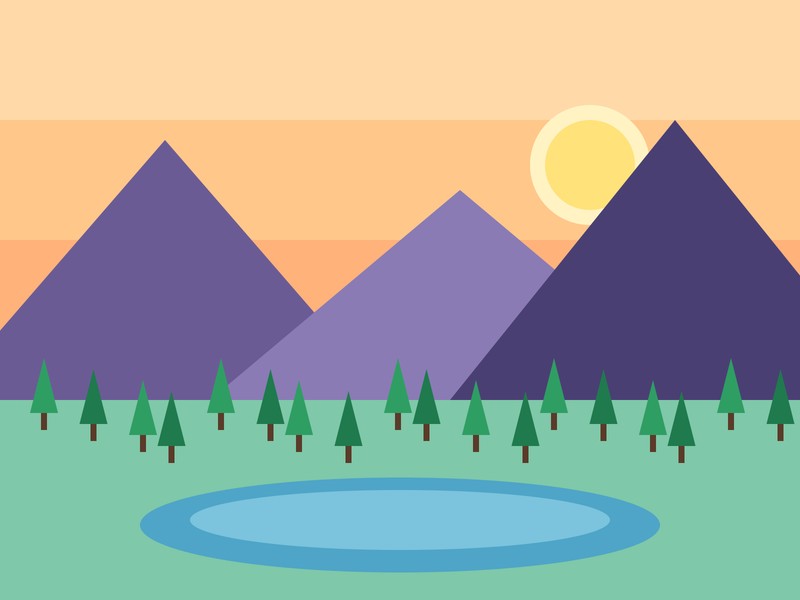
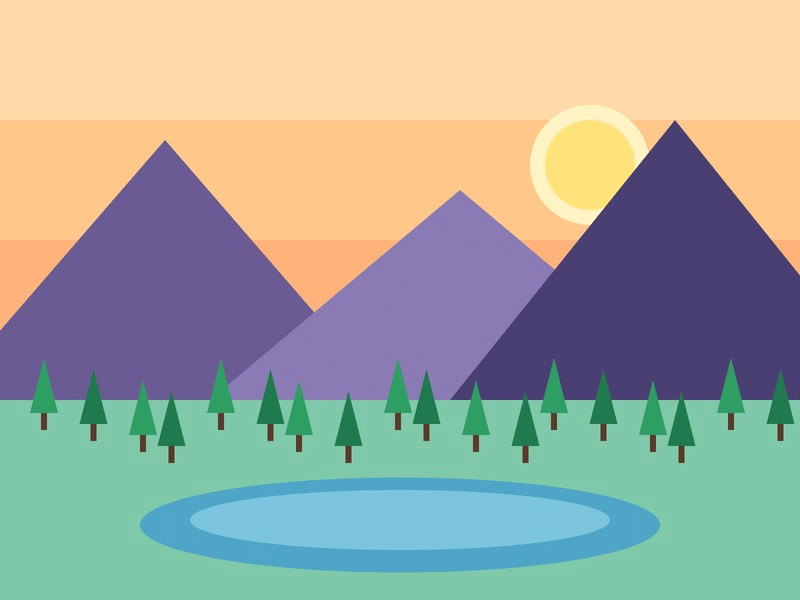
- In our test a generated flat 800 x 600 px illustration of 29 KB became a 98 KB GIF, and a 1600 x 1200 px photograph of 465 KB became a 1,169 KB GIF; the test pictures were generated by our scripts.
- The upload is deleted when the job ends and the result after 10 minutes; signed-in users pay 1 credit per image.
- Free without an account: up to 10 conversions per minute and 50 per day per visitor, no watermark. Signed in, each render costs 1 credit (100 free credits every month).
- Files are deleted automatically: 10 minutes after conversion without an account, 1 day with a free account.
- Developers can run the same render with POST https://api.aiipworld.com/v1/render and an API key (see the API docs page).
How it works
- Choose your JPG file. You can also use a PNG, WebP, AVIF, BMP or TIFF file.
- Check the preview and the image size that the tool shows before you convert.
- Leave "Convert to" set to GIF, or pick PNG, JPEG or WebP if you need a different format.
- Decide whether to keep transparency. Turn it off to fill transparent areas with the background colour, which is white by default.
- Select the convert button and download your GIF when the result is ready.
Example output
Original JPG, 800 x 600 px, 29 KB
Converted GIF, 98 KB
How to convert JPG to GIF
Converting a JPG to GIF takes one image and a few settings. Choose your file, check the preview, and start the conversion. The tool reads the file content to find the real type, so a renamed file is handled by what it actually is.
The GIF output keeps the same pixel size as your input. Quality and size settings do not apply when GIF is selected. Results vary with each picture, so check the download before you use it.
- Start with a flat image such as a logo or diagram for the cleanest result.
- Use the PNG or JPEG target if you need a smaller file.
What JPG to GIF conversion does
A JPG to GIF conversion re-encodes your picture in the GIF format. The picture is reduced to a palette of at most 256 colours. The pixel size stays the same, so an 800 x 600 image is still 800 x 600 pixels after conversion.
The tool runs the same converter as the other converter pages, with GIF set as the target. The conversion is done on our server by ordinary image processing, not artificial intelligence.
Still pictures and animations
A JPG or PNG is one picture, so the GIF is one still picture. The tool cannot join several JPG files into one animation.
If your input is an animated GIF or WebP, every frame, its delay and the loop count are kept in the GIF. Turn off Keep the animation to use only the first frame. An animated AVIF is converted from its first frame only, and a TIFF with several pages from its first page only. Animations are limited to 300 frames and 64 MP in total when you are signed in, and to 100 frames and 16 MP without an account. Signed-in users pay 1 extra credit for each started 10 MP of frames beyond the first 10 MP.
256 colours and dithering
A GIF can hold at most 256 colours. The tool reduces your picture to a 256-colour palette and uses dithering to spread the remaining colour changes. MDN notes that converting full colour images to GIF can result in unsatisfactory dithering.
Photographs often look grainy or banded as GIF. Results vary with the picture, so test a sample first.
- Photographs can look worse as GIF than as JPG.
- Simple graphics with few colours convert better.
Which pictures suit GIF
Flat artwork, logos, icons and diagrams usually convert well to GIF. These pictures use few colours and clear edges, so the palette fits them.
Photographs need more colours than a GIF can hold. They can look grainy, and the file can grow large. For photographs, a JPEG or WebP output may suit you better.
Transparency in a GIF
A GIF pixel is either fully opaque or fully transparent. It cannot hold soft, partly see-through edges. If your input has partly transparent pixels, such as a PNG with soft edges, the tool makes each pixel fully transparent or fully opaque, so edges can look rough.
Keep transparency matters for inputs that have transparency, such as PNG, WebP, AVIF and GIF. A JPG has no transparency, so there is nothing to keep. Turn Keep transparency off to fill transparent areas with the background colour, which is white by default. This often looks cleaner.
JPG to GIF: file size
A GIF is often larger than the JPG it came from. In our tests, a flat 800 x 600 illustration went from 29 KB as a JPG to 98 KB as a GIF. The same picture as PNG was 195 KB.
Photographs grew more. An 800 x 600 test photo went from 71 KB to 243 KB. A 1600 x 1200 test photo went from 465 KB to 1,169 KB, about 2.5 times the JPG.
- Results vary by picture. Large photographs can reach several MB as GIF.
- If the result would be over 20 MB, the job fails with an "output too large" message.
PNG to GIF and other inputs
You can also convert PNG to GIF with this tool. A transparent 1024 x 1024 PNG logo that was 37 KB became a 13 KB GIF with transparency kept. With Keep transparency off and a white fill, it was 15 KB.
The tool also accepts WebP, AVIF, BMP and TIFF input. Choose the format that matches your picture.
JPG to GIF or JPG to PNG
Choose GIF when a program or site asks for GIF and you accept the 256-colour limit. Choose PNG when you need lossless output with full colour and an alpha channel. PNG keeps every colour that GIF would drop.
In our tests the PNG was larger than the GIF for the same picture (195 KB against 98 KB for the illustration), so pick the format by the picture and its use. Test both if the choice matters to you.
Which files the converter accepts
The tool accepts PNG, JPG (including .jpeg and .jfif), WebP, AVIF, GIF, BMP and TIFF files. It does not accept SVG, PDF, HEIC or HEIF, BigTIFF or camera RAW files.
Free use allows up to 5 MB per image, and up to 16 MP (4096 x 4096) per image. Signed-in users can upload up to 10 MB per image. Each visitor can convert 30 images per day without an account. Signed-in users pay 1 credit per image, plus 1 credit for each 5 MB of result after the first 5 MB. If the result is larger than 20 MB, the job fails.
- The tool handles one image at a time.
- Anonymous use needs a quick human check.
JPG to GIF from code
You can run the same conversion through the API. Send a POST request to https://api.aiipworld.com/v1/image-jobs with the raw image bytes as the body, not JSON or multipart. Set Content-Type to the image type, such as image/jpeg.
Use op=image_convert and set format=gif. Authenticate with an Authorization: Bearer header or an x-api-key header. The API returns 202 with a job_id, and you poll GET /v1/jobs/:id until the job ends. The docs are at /docs/#image-convert. The page shows a ready cURL, Node and Python example below the tool.
Privacy: what happens to your file
Your image is sent to our server for conversion. It is not processed in the browser. The uploaded image is used only to make the result, and it is deleted as soon as the job ends, whether it succeeds or fails.
The result is deleted after 10 minutes in the free web tool, and no history is kept. Download links are short-lived. Camera and location tags are not copied into the GIF. Users must have the right to use the images they upload.
Questions
Can I convert JPG to GIF for free?
Yes. The tool is free, and you do not need an account for basic use.
Does this make an animated GIF?
Only from an animated file. An animated WebP or GIF keeps its frames and loop count, but a JPG or PNG gives a still GIF.
Can I turn several JPGs into one GIF?
No. The tool converts one image at a time and cannot combine JPGs into an animation.
Why does my GIF look grainy?
A GIF holds at most 256 colours, so photographs often look grainy after conversion. Results vary by picture.
Why is the GIF bigger than the JPG?
GIF stores pictures differently from JPG, and photographs often grow a lot. In our tests a 465 KB JPG became a 1,169 KB GIF.
How many colours does the GIF have?
A GIF has at most 256 colours. The tool reduces your picture to a 256-colour palette with dithering.
What happens to transparency?
Transparent pixels become fully transparent or fully opaque, so soft edges can look rough. A JPG has no transparency to keep.
Can I convert PNG to GIF?
Yes. The tool accepts PNG input, and transparency is kept when Keep transparency is on.
Is JPG to GIF lossless?
No. A GIF holds at most 256 colours, so colours are lost when the picture has more than that.
Will the picture change size?
No. The pixel size stays the same after conversion. The file size will usually change.
Which JPG to GIF format does the tool write?
A GIF of at most 256 colours: one still picture from a JPG or PNG, or an animation with all its frames from an animated WebP or GIF.
How long is my file kept?
The result is deleted after 10 minutes in the free web tool. Your uploaded image is deleted as soon as the job ends.
Can I convert JPG to GIF in code?
Yes. Send the image to the API with op=image_convert and format=gif, then poll the job until it finishes.
Need this in your app or in bulk?
This tool runs on the same platform as the API, so the same image is one HTTP request from your code. A free account includes 100 credits a month.
Related tools
- GIF to JPG: Convert Your GIF for FreeImageJPG
- GIF to PNG: Convert Your GIF for FreeImagePNG
- JPG to PNG ConverterImagePNG
- PNG to JPG ConverterImageJPG
- JPG to WebP ConverterImageWebP
- Compress JPGImageJPG
- GIF Compressor: Reduce Animated GIF File Size OnlineImageGIF
- WebP to GIF ConverterImageGIF
- GIF Resizer: Resize Animated and Still GIFs OnlineImageGIF