
SVG to JPG: Convert Your SVG for Free
SVG to JPG conversion turns a vector drawing into a JPG picture that many apps and forms accept. Paste your SVG code or open an .svg file, set the size and quality, and download the result. JPG has no transparency, so the background colour you choose fills any empty areas.
- JPG has no transparency. Transparent areas in your SVG are filled with the background colour you pick. Use the SVG to PNG tool if you need a transparent background.
- Files up to 2 MB can be opened, and up to 256 KB of SVG code can be converted in the free tool.
- The free tool limits the output height to 2000 px.
You can also drop a file here.
0 B of 256 KB allowed in the free web tool.
Lower means a smaller file and more visible loss (1 to 100).
JPEG cannot store transparency. Transparent areas are filled with the background colour below.
Loading...
Complete the human check to enable the button.
Result
Your image will appear here.
The free web tool captures at most 2000px of height. For taller captures, use the API.
Retention: web-tool results are deleted after 10 minutes and no history is kept. API results are kept 1 day on the free plan and 7 days on Starter and Pro (30 days on Business).
No account needed
10 per minute and 50 per day for free.
Real browser rendering
Headless Chromium, the same engine as the API.
Deleted automatically
Web tool results are removed after 10 minutes.
Privacy: what you submit is used only to make this file. The working copy is deleted when the job ends, the result after 10 minutes. See the privacy policy.
Do this from your code
The same request, built from the input and options above. Create an account to get an API key.
curl -X POST https://api.aiipworld.com/v1/render \
  -H "Authorization: Bearer $AIIPWORLD_API_KEY" \
  -H "Content-Type: application/json" \
  -d '{"html":"","output":"pdf","options":{}}'

# returns {"job_id": "...", "status": "queued"}; then poll:
curl https://api.aiipworld.com/v1/jobs/JOB_ID -H "Authorization: Bearer $AIIPWORLD_API_KEY"
Batches
The web tool handles 1 document at a time. The API takes one request per document, so you can script as many as your plan allows.
More control
Whole-page capture (full_page), clipping to a region, request headers and a custom user agent are API options. See the docs.
Retention
Web-tool results are kept 10 minutes; free API results 1 day; Starter and Pro results 7 days; Business 30 days. The web tool allows 10 conversions per minute and 50 per day per visitor.
In one sentence
A free online tool that draws SVG code or an .svg file with Chromium and saves it as a JPG at the width, pixel density, quality and background colour you choose.
Key facts
- Input: SVG code or an .svg file up to 2 MB, cleaned in your browser (scripts and event attributes are removed); the free tool takes up to 256 KB of SVG code.
- Output: a JPG, 100 to 4000 px wide and 100 to 2000 px tall in the free tool, at 1x, 2x or 3x pixel density, quality 1 to 100 (default 80).
- JPEG has no transparency, so there is no transparent option: transparent areas are filled with the background colour (white by default). For transparency use the SVG to PNG tool.
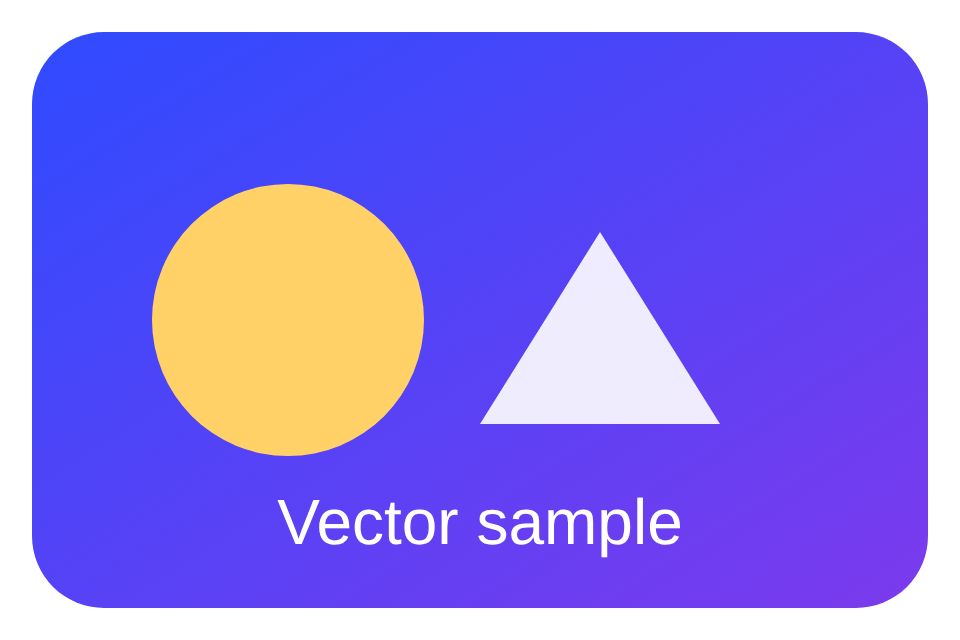
- In our test the sample SVG drawn at 960 x 640 px was a 20 KB JPG at quality 80 and a 191 KB PNG with a white background; fonts that are not installed on the render server are drawn with a fallback font.
- Free without an account: up to 10 conversions per minute and 50 per day per visitor, no watermark. Signed in, each render costs 1 credit (100 free credits every month).
- Files are deleted automatically: 10 minutes after conversion without an account, 1 day with a free account.
- Developers can run the same render with POST https://api.aiipworld.com/v1/render and an API key (see the screenshot API page).
How it works
- Paste your SVG code into the box, or open an .svg file from your computer.
- Check the width and height the tool read from your SVG. Leave the width blank to keep the SVG's own width.
- Set the pixel density, the JPG quality and the background colour. White is the default.
- Look at the preview, which your browser draws before anything is sent.
- Click Convert to JPG, then download the .jpg file.
Example output
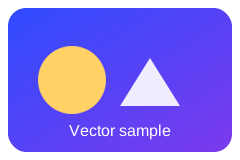
Original SVG, 240 x 160 units
Converted JPG, 960 x 640 px, quality 80, 20 KB
How to convert SVG to JPG
Start by pasting your SVG code into the input box, or open a file with the .svg extension. The tool cleans the code in your browser and reads the width and height from the SVG's width and height attributes or its viewBox. It then shows the size it found, so you can check it before you convert.
Next, choose the output width in pixels. Leave it blank to use the SVG's own width. Pick a pixel density of 1x, 2x or 3x, set the JPG quality, and choose a background colour. The preview shows the drawing with that background, so you can see the result before you convert.
When the settings look right, click Convert to JPG. The tool sends the cleaned SVG to our render server, and the JPG appears for download. Download it and check it in the program where you plan to use it.
What SVG to JPG conversion does
The tool first cleans your SVG in the browser with DOMPurify. Scripts, event attributes and similar parts are removed at this stage. The cleaned code then goes to our render server, where headless Chromium draws it. The drawing is saved as a JPEG file with a .jpg extension.
This SVG to JPG converter does ordinary rendering, not artificial intelligence. The preview is drawn by your own browser, while the JPG is drawn by Chromium on our server, so check the result panel too. If the result looks different from the preview, check the fonts and any external images your SVG uses.
Why people convert SVG to JPG
SVG is a vector format, and MDN describes it as a good fit for diagrams, icons and other images that can be drawn accurately at any size. Some apps, forms, email tools and document tools accept only raster pictures, and JPG is one of the most common of these formats. A JPG is a fixed grid of pixels, so it can be placed in those tools without support for SVG.
If your target accepts SVG, keep the original file. Convert to JPG only when the place where the picture goes asks for it. For a diagram that will be scaled later, keep the SVG and make a JPG at the size you need.
Transparent SVG to JPG
JPG does not support transparency, and MDN notes that JPEG has no alpha channel. This page has no transparent option for that reason. Any area of the SVG with no fill, including rounded corners and margins, is filled with the background colour you choose. The default is white.
In our measurements, the rounded corners and the margin around a sample card were white in the JPG. Semi-transparent parts of the drawing blend with the background colour, so a light or dark background changes how they look. Pick the background colour that matches where the image will be placed.
If you need a transparent background, use the SVG to PNG tool. PNG keeps the transparent areas of your SVG.
Output size and pixel density
Set the output width between 100 and 4000 px. Leave the field blank to use the SVG's own width. The height follows the proportions of the SVG. In the free tool the height must be between 100 and 2000 px.
Pixel density controls how many pixels are drawn for each unit of the visible size. At 2x or 3x the same visible size has more pixels. The tool shows the output size in pixels, as width times density and height times density.
A JPG has a fixed number of pixels. If you need another size later, keep the original SVG and convert it again with new settings.
Choosing the JPG quality
JPG quality runs from 1 to 100, and the default is 80. Use the slider in the tool to change it. Lower quality makes a smaller file, but the loss becomes more visible. JPG compression is lossy, so the output is not identical to the drawing.
In our measurements on the tool's sample card at 960 x 640 px, the JPG was 14 KB at quality 50, 20 KB at quality 80 and 38 KB at quality 95. Your result will differ with your own drawing. For most pictures, the default of 80 is a reasonable start. Raise it if you see blocks or blurred edges around text.
SVG to JPG or SVG to PNG
For flat graphics with sharp edges and text, such as logos, icons and charts, PNG is usually the cleaner choice. MDN notes that lossy compression can give unsatisfactory results for content that needs sharpness, such as diagrams or charts, and suggests PNG when more precise reproduction is needed. JPG suits photo-like drawings, gradients and cases where a program or form requires it.
File size does not decide this alone. In our test, the sample card was 191 KB as a PNG with a white background and 208 KB with a transparent background. A drawing with many flat colours and text can be smaller as PNG, so compare both files for your own SVG.
Fonts and images inside your SVG
Text in the SVG is drawn with fonts installed on the render server. These include Liberation Sans, Liberation Serif, Liberation Mono, Noto Sans, Noto Serif and Noto Sans Display. Noto fonts also cover many scripts, including Arabic, Hebrew, Devanagari and Thai, and Chinese, Japanese and Korean. Arial and Helvetica map to Liberation Sans, Times New Roman to Liberation Serif, Courier New to Liberation Mono, and Georgia to Noto Serif.
Fonts such as Segoe UI, Roboto, Inter and fonts on your own computer are not installed on the server. Text in those fonts is drawn with a fallback font. To keep the exact look, embed the font in the SVG, or load it with @font-face from a public URL or a data URL. External images load only from public http and https addresses.
What gets removed from the SVG
Before your SVG leaves your browser, the tool removes scripts and event attributes, such as onclick. Similar active parts are also removed. Because of this, an SVG that needs JavaScript to draw its content will not show that content in the JPG.
Check the preview before you convert. If a part is missing, look for scripts or event attributes in the SVG code and move the drawing into plain SVG shapes and text.
Limits and privacy
You can open an SVG file up to 2 MB. In the free tool, the SVG code can be up to 256 KB. Anonymous use needs a human check (Cloudflare Turnstile). Signed-in users skip the check and use credits. The JPG has no watermark.
Results are deleted after 10 minutes, and no history is kept. Only convert images you have the right to use, as set out in our Acceptable Use Policy. Failed and timed-out jobs are refunded.
SVG to JPG from code
If you convert many files, use the API. Send a POST request to /v1/render with your SVG inside the html field and set the output to jpeg. You can set the viewport width and height, the device_scale_factor from 1 to 3 and a quality from 1 to 100. The response is 202 with a job_id.
Poll GET /v1/jobs/:id until the status is succeeded, failed or timeout. The download_url is a short-lived signed link, so download the file soon after it is ready. Credits for failed and timed-out jobs are returned. The API has no batch endpoint, so send one request per document. Webhooks are not available yet. Authenticate with your API key as Authorization: Bearer or x-api-key. Below the tool, the page shows a cURL, Node and Python example generated from your current settings.
Related tools
If you need transparency, use the SVG to PNG tool. For a vector PDF that keeps the drawing sharp at any size, use the SVG to PDF tool. To go back from a raster picture to vector paths, use the JPG to SVG tool or the vectorize image tool. To convert a PNG picture to JPG, use the PNG to JPG tool. For text as an image, use the text to PNG tool, and for web pages, use the HTML to JPG tool.
Questions
Can I convert SVG to JPG for free?
Yes. The SVG to JPG tool is free and needs no account. Anonymous use needs a quick human check, and the JPG has no watermark.
What happens to a transparent background?
JPG cannot store transparency, so transparent areas are filled with the background colour you choose. The default is white.
Can I keep the background transparent?
Not in a JPG. Use the SVG to PNG tool if you need transparency, because PNG keeps transparent areas.
What quality should I use?
Start with the default of 80. Raise it if edges or text look blurred, or lower it if you need a smaller file and the loss is acceptable.
How big will the JPG be?
It depends on the size, the pixel density, the quality and the drawing. In our test at 960 x 640 px, the sample was 14 KB at quality 50, 20 KB at 80 and 38 KB at 95.
Is SVG to JPG lossless?
No. JPG compression is lossy, so some detail is lost. Lower quality loses more. For sharp flat graphics, PNG is usually the better choice.
Is the JPG still vector?
No. The output is a raster picture with a fixed number of pixels. Keep your original SVG if you need to scale the drawing later.
Why does the text look different?
Text uses fonts installed on our render server. Fonts such as Segoe UI or Roboto are not there, so a fallback font is used. Embed the font in your SVG or load it with @font-face to keep the look.
Does the tool run scripts in my SVG?
No. Scripts and event attributes are removed in your browser before the SVG is sent. An SVG that needs JavaScript to draw its content will not show that content.
What is the maximum size?
You can open an SVG file up to 2 MB. The free tool accepts up to 256 KB of SVG code, and the output height can be up to 2000 px.
How long is my file kept?
Results are deleted after 10 minutes, and no history is kept. Download the file before that time.
Can I convert SVG to JPG in code?
Yes. Send a POST request to /v1/render with the SVG in the html field and the output set to jpeg, then poll the job until it finishes. The page shows a ready cURL, Node and Python example below the tool.
Is this an SVG to JPEG converter?
Yes. JPG and JPEG are the same format, so this SVG to JPEG converter gives you the same kind of file as an SVG to JPG conversion. The download ends in .jpg. JPEG has no transparency, so the background colour you choose fills any empty areas.
Need this in your app or in bulk?
This tool runs on the render API, so the same image is one HTTP request from your code. A free account includes 100 credits a month.