
JPG to SVG
JPG to SVG conversion turns a flat JPG logo or drawing into an SVG file made of vector paths. This tool traces the pixels of your JPG by grouping areas of similar colour into shapes and fitting smooth curves around them, so the result scales to any size. A JPG is a lossy photo format, so tracing works well on images with a few solid colours and sharp edges.
- Works well on logos, icons, flat illustrations and drawings with a few solid colours. Photos become many flat colour patches.
- Free web use accepts images up to 5 MB and 16 MP (4096 x 4096). Signed-in users can upload up to 10 MB per image.
- Anonymous use needs a human check. The SVG result is deleted after 10 minutes, and no history is kept.
Drop an image here
PNG, JPG, WebP, GIF or BMP, up to 5 MB
Keeps the colours and the shapes. Best for artwork with few colours.
Advanced settings
Black and white gives one black layer.
Straight edges give a smaller file.
Higher removes more noise (0 to 16)
Lower means fewer colours (1 to 8)
Higher means fewer layers (0 to 255)
Higher means rounder corners (0 to 180)
Complete the human check to enable the button.
Result
Your SVG will appear here.
The free web tool takes images up to 5 MB, 10 per day. Signed in, the limit is 10 MB. Larger images are scaled down before tracing.
Retention: web-tool results are deleted after 10 minutes and no history is kept. API results are kept 1 day on the free plan and 7 days on Starter and Pro (30 days on Business).
No account needed
10 images per day for free, no watermark.
Open-source tracing engine
VTracer, the same engine as the API, turns the pixels into vector paths.
Deleted automatically
Web tool results are removed after 10 minutes.
Privacy: what you submit is used only to make this file. The working copy is deleted when the job ends, the result after 10 minutes. See the privacy policy.
Do this from your code
The same request, built from the input and options above. Create an account to get an API key.
curl -X POST https://api.aiipworld.com/v1/render \
  -H "Authorization: Bearer $AIIPWORLD_API_KEY" \
  -H "Content-Type: application/json" \
  -d '{"html":"","output":"pdf","options":{}}'

# returns {"job_id": "...", "status": "queued"}; then poll:
curl https://api.aiipworld.com/v1/jobs/JOB_ID -H "Authorization: Bearer $AIIPWORLD_API_KEY"
Batches
The web tool handles 1 image at a time. The API takes one request per image, so you can script as many as your plan allows.
Retention
Web-tool results are kept 10 minutes; free API results 1 day; Starter and Pro results 7 days; Business 30 days. The web tool allows 10 conversions per minute and 50 per day per visitor.
In one sentence
A free online tool that traces a JPG picture into an SVG made of vector paths, with settings to clean up JPEG compression noise.
Key facts
- Input: JPG, PNG, WebP, GIF or BMP, up to 5 MB in the free tool and 10 MB when signed in, and up to 16 MP (4096 x 4096).
- A JPG has no transparency, so its background becomes a coloured shape; raise the remove specks setting (0 to 16 px) to clean JPEG noise.
- Best for logos, scans, signatures and flat artwork; photos become flat colour patches and can give a very large SVG. It is a tracing program, not AI.
- The upload is deleted when the job ends and the SVG after 10 minutes; signed-in users pay 5 credits per image.
- Free without an account: up to 10 conversions per minute and 50 per day per visitor, no watermark. Signed in, each render costs 1 credit (100 free credits every month).
- Files are deleted automatically: 10 minutes after conversion without an account, 1 day with a free account.
- Developers can run the same render with POST https://api.aiipworld.com/v1/render and an API key (see the screenshot API page).
How it works
- Choose a JPG or JPEG file from your computer. The tool checks the type and size in your browser and shows a preview with the image size.
- Choose the kind of image: Logo, icon or flat illustration (the default), Black and white line art, or Photo.
- If you need to, open the advanced settings and adjust them. Changing any value switches the menu to Custom settings.
- Press Convert to SVG. If you are not signed in, complete the human check first.
- Check the preview on the checkerboard, look at the file size and path count, then press Download SVG.
Example output
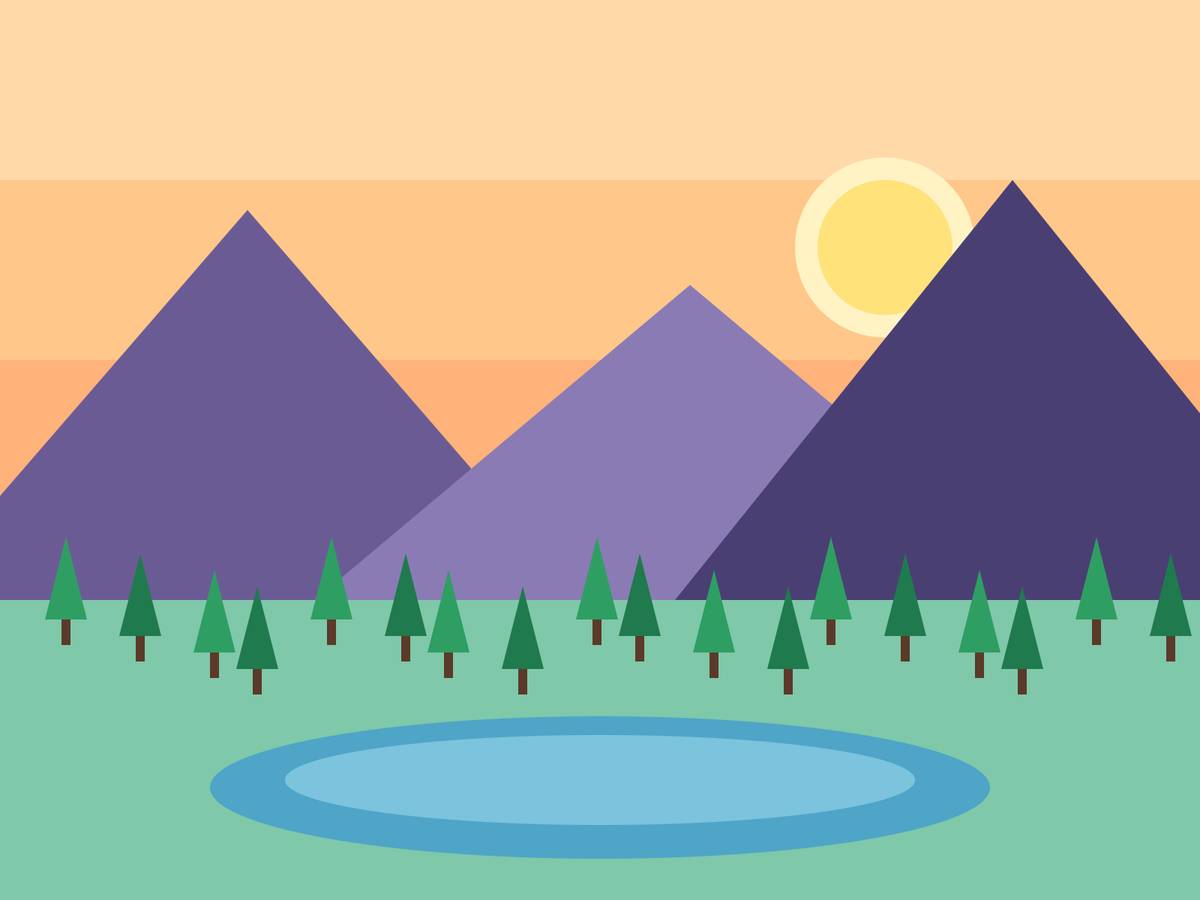
Original JPG, 1200 x 900 px, 29 KB
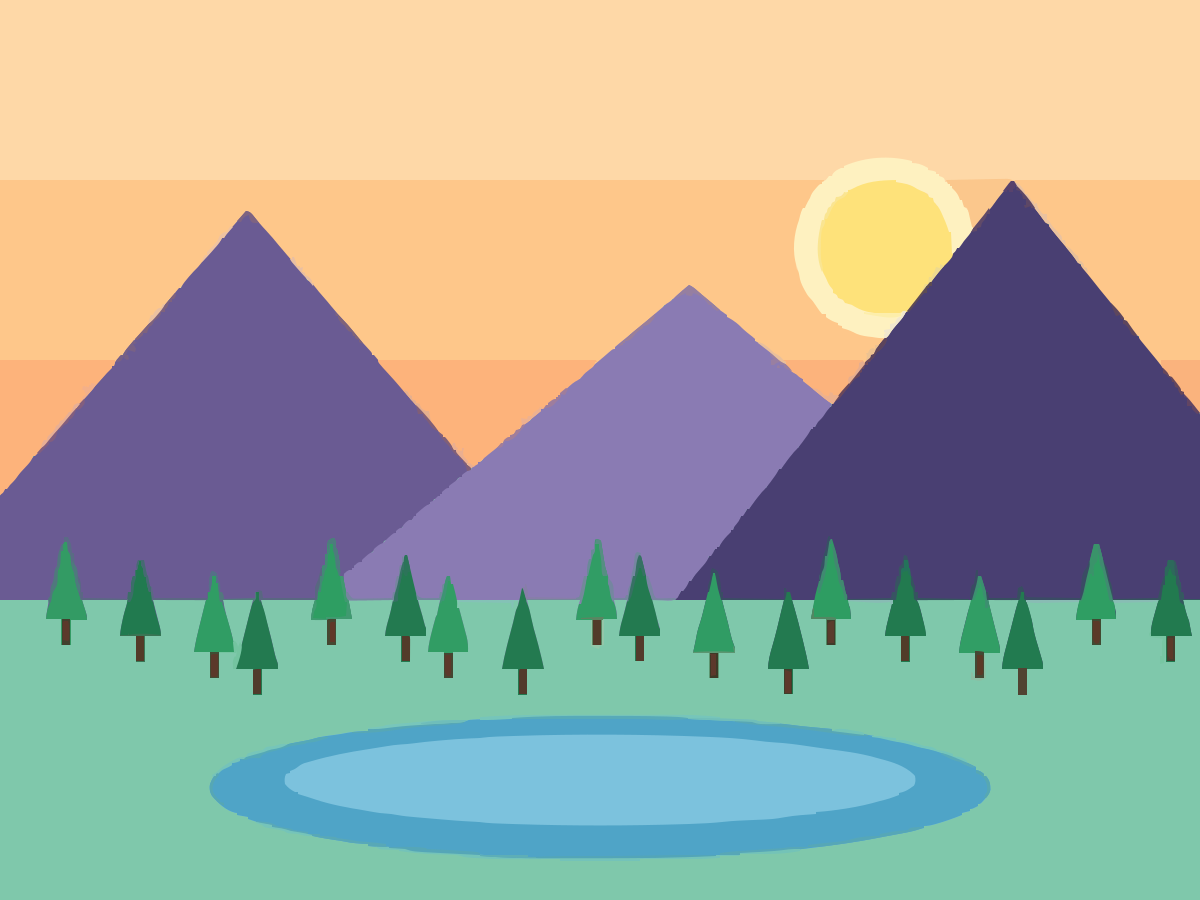
Traced SVG, 178 paths, 155 KB
Original, enlarged 5 times
SVG, enlarged 5 times
How to convert JPG to SVG
Open the converter and choose your JPG file. The tool checks the file type and size in your browser before anything is uploaded, and it shows a preview with the image size.
Pick the kind of image. The default, Logo, icon or flat illustration, suits JPG logos and icons. Use Black and white line art for ink drawings on paper, and Photo only if you accept a lot of lost detail.
Press Convert to SVG. Signed-in users go straight to the job, while anonymous users complete the human check first. When the job finishes, the result panel shows the preview, the SVG file size and the number of vector paths.
Press Download SVG to save the file. The SVG is a plain file made of paths, so you can open it in a vector editor or place it in a web page.
Why JPG to SVG is harder than PNG to SVG
A JPG is a lossy format. Compression throws away some detail to keep the file small, and the tracer sees the leftover noise as slightly different colours. Around sharp edges, that noise can become small specks in the SVG.
A JPG also has no transparency. A transparent PNG keeps its empty areas empty, so the traced shape has no background. A JPG always has a background colour, even when it looks white, and the tracer turns that background into a shape of its own.
This means a JPG to SVG conversion usually needs more care than a PNG to SVG conversion of the same drawing. Start from a large, clean copy of the JPG, convert it, and then adjust the settings based on the preview.
Which JPG files work well
JPG files with a few solid colours and sharp edges give the cleanest results. Scanned logos, flat artwork, signatures and silhouettes fit that description.
Scans of drawings are a common case. When the drawing is ink on paper, choose Black and white line art. The result is one black layer on a transparent background.
Tracing cannot add detail that is not in the JPG. A blurry or low-resolution source gives rough edges, so start from a large, sharp copy whenever you have one.
Small text in the JPG becomes shapes, not editable text. The SVG has no text elements, so you cannot edit the letters as text after tracing.
- Logos and icons with flat colours
- Scanned line drawings and sketches
- Signatures and silhouettes
- Flat illustrations and clip art
Photos and gradients
Photos do not trace well. Photos and images with smooth gradients, shadows or fine texture become many flat colour patches, which gives a posterised look. Tracing does not recover detail that is missing from the JPG.
Gradients have the same problem. A smooth fade from light to dark turns into bands of flat colour, and the edges of each band show when you scale the SVG up.
A photo can also produce a very large SVG. With default settings, a photograph can reach many megabytes and thousands of paths. The Photo preset gives a far smaller file, but it keeps fewer colours and loses more detail. Keep the original JPG if you need the photographic look.
If your source is a transparent PNG rather than a JPG, use the PNG to SVG tool. For the same tracing with advice for other image types, use the image vectorizer. To get a raster copy of a finished SVG, use the SVG to PNG tool.
Clean up JPG noise (settings)
If the SVG has small specks, raise the Remove specks setting. It removes shapes smaller than the number of pixels you choose, from 0 to 16 px. The default Logo preset removes specks smaller than 4 px, and the Photo preset uses 16 px.
Colour precision sets how many colours the tracer keeps, from 1 to 8. A lower value means fewer colours and a smaller file, but similar shades can merge. Colour layer difference controls how many layers the tracer stacks. A higher value gives fewer layers.
Changing any value switches the preset menu to Custom settings. Change one setting at a time, convert again, and compare the preview. The path count and file size in the result panel show what each change does.
- Remove specks smaller than: 0 to 16 px. Raise it for JPEG noise.
- Colour precision: 1 to 8. Lower means fewer colours.
- Colour layer difference: 0 to 255. Higher means fewer layers.
- Corner threshold: 0 to 180 degrees. Higher means rounder corners.
- Curve style: smooth curves or straight edges.
The background of a JPG
A JPG has no transparency, so its background stays in the image. In the SVG, a JPG background becomes a coloured shape behind the drawing. Look at the preview on the checkerboard to see it before you download.
A white background on a scanned drawing becomes a white shape. That shape stays opaque when you place the SVG on a coloured page, so it may hide what lies beneath. Check the SVG on a page of the colour you plan to use.
To get a transparent result, begin with a PNG that already has a transparent background, and use the PNG to SVG tool. You can also delete the background shape in a vector editor after you download the SVG.
Size and file limits
The free web tool accepts up to 5 MB per image and 10 images per day. Signed-in users can upload up to 10 MB per image. Every image must be within 16 MP (4096 x 4096).
An image larger than 4 MP (for example 2000 x 2000) is scaled down before it is traced. The SVG is still vector, so it scales to any size. The result panel shows the traced size and whether the image was scaled down.
If the SVG would be larger than 20 MB, the job fails with an output too large message. The tool does not return a cut-off file. Raise Remove specks or lower Colour precision to make the SVG smaller, then convert again.
- Free web tool: up to 5 MB per image, 10 images per day.
- Signed-in users: up to 10 MB per image.
- Every image: up to 16 MP (4096 x 4096).
- Scaled down before tracing above 4 MP (for example 2000 x 2000).
- SVG output: the job fails above 20 MB.
JPG to SVG from code
You can run the same conversion through the API. Send a POST request to /v1/image-jobs on the API host api.aiipworld.com, with the raw image bytes as the body. The body is not JSON and not multipart, so send the file bytes directly.
Set the Content-Type header to the type of your image: image/jpeg for a JPG, or image/png, image/webp, image/gif or image/bmp for other formats. Send your API key in the Authorization header as Bearer followed by the key, or in the x-api-key header.
Put the settings in the query string. The op setting is image_to_svg, which is the default and the only value. Other settings are colormode (color or binary), hierarchical (stacked or cutout), mode (spline or polygon), filter_speckle (0 to 16), color_precision (1 to 8), layer_difference (0 to 255), corner_threshold (0 to 180), segment_length (3.5 to 10), splice_threshold (0 to 180), path_precision (0 to 4) and timeout_sec (1 to 60). The API rejects unknown names.
The request returns 202 with a job_id and the status queued. Poll GET /v1/jobs/:id until the status is succeeded, failed or timeout. On success, download the SVG from download_url. That link is short-lived, so download the file soon after the job finishes.
The result fields are bytes, width, height, paths, src_width, src_height and downscaled. Send one request for each image, because there is no batch endpoint. Webhooks are not available yet. Credits for failed and timed-out jobs are returned.
The API limit is 10 MB per image, with the same pixel limit as the web tool. Errors are 400 for an unsupported image, 413 for a file that is too large, 402 for insufficient credits and 429 when you are rate limited. The image jobs section of the docs page has the full reference.
Privacy: what happens to your file
The image is sent to our server, so it is not processed in your browser. The uploaded image is used only to make the SVG, and it is deleted as soon as the job ends, whether the job succeeds or fails.
The SVG result is deleted after 10 minutes in the free web tool. No history of your conversions is kept, so download the SVG before that time. Download links are short-lived.
You must have the right to use the JPG you upload. Tracing a logo or artwork that you do not own does not give you rights to it. The Acceptable Use Policy sets out the rules for uploads.
Questions
Can I convert a JPG to SVG for free?
Yes. The web tool is free to use for images up to 5 MB, with up to 10 images per day. Anonymous use needs a human check before the conversion runs.
Does JPG to SVG work for photos?
Not well. Photos become many flat colour patches, and a photo can give a very large SVG. The Photo preset makes a smaller file, but expect a lot of lost detail.
Why does my SVG have small specks?
JPEG compression noise around edges often traces as tiny shapes. Raise the Remove specks setting, up to 16 px, and convert again.
Can I get a transparent background from a JPG?
Not from the JPG itself, because a JPG has no transparency. The background becomes a coloured shape. Start from a transparent PNG and use the PNG to SVG tool for a transparent result.
Is JPEG the same as JPG?
Yes. JPEG and JPG are two names for the same format. The tool accepts both, and it checks the type from the file content, not the file name.
Why is the SVG so large?
Photos and gradients create thousands of small shapes, and many paths make a large file. Raise Remove specks, lower Colour precision, or use the Photo preset to make the file smaller.
Can I convert a scanned drawing or signature?
Yes, if the scan has clean lines and few colours. Choose Black and white line art for ink on paper, and start from the largest scan you have. A faint or blurry scan gives rough edges.
What is the maximum JPG size?
The free web tool accepts up to 5 MB per image, and signed-in users up to 10 MB. Every image must be within 16 MP (4096 x 4096), and images above 4 MP (for example 2000 x 2000) are scaled down before tracing.
Do I need an account?
No. Anonymous use works after the human check. Signed-in users skip the check and use 5 credits per image.
How long is my file kept?
Your uploaded image is deleted as soon as the job ends. The SVG result is deleted after 10 minutes in the free web tool, and no history is kept.
Can I convert JPG to SVG in code?
Yes, through the API. Send the raw image bytes to the image jobs endpoint, poll the job until it succeeds, and download the SVG from the short-lived link.
Need this in your app or in bulk?
This tool runs on the same platform as the API, so the same SVG is one HTTP request from your code. A free account includes 100 credits a month.