
OG image
Make an OG image in your browser. Type a title and a subtitle, pick colours, and download a 1200 x 630 px PNG to use as the preview image when your page is shared as a link.
Preview (1200 x 630)
Complete the human check to enable the button.
Result
Your image will appear here.
The free web tool captures at most 2000px of height. For taller captures, use the API.
Retention: web-tool results are deleted after 10 minutes. API results are kept 1 day on the free plan and 7 days on Starter and Pro (30 days on Business and Scale). A record of each job (type, time, status and credits, not what you submitted) is kept for 30 days without an account, or while your account exists if you are signed in.
No account needed
10 per minute and 50 per day for free.
Real browser rendering
Headless Chromium, the same engine as the API.
Deleted automatically
Web tool results are removed after 10 minutes.
Privacy: what you submit is used only to make this file. It is deleted when the job ends, also from the job record, and the result is deleted after 10 minutes. See the privacy policy.
Do this from your code
The same request, built from the input and options above. Create an account to get an API key.
curl -X POST https://api.aiipworld.com/v1/render \
  -H "Authorization: Bearer $AIIPWORLD_API_KEY" \
  -H "Content-Type: application/json" \
  -d '{"html":"","output":"pdf","options":{}}'

# returns {"job_id": "...", "status": "queued"}; then poll:
curl https://api.aiipworld.com/v1/jobs/JOB_ID -H "Authorization: Bearer $AIIPWORLD_API_KEY"
Batches
The web tool handles 1 document at a time. The API takes one request per document, so you can script as many as your plan allows.
More control
Whole-page capture (full_page), clipping to a region, request headers and a custom user agent are API options. See the docs.
Retention
Web-tool results are kept 10 minutes; free API results 1 day; Starter and Pro results 7 days; Business and Scale 30 days. The web tool allows 10 conversions per minute and 50 per day per visitor.
In one sentence
A free online tool that makes a 1200 x 630 px PNG with your title and subtitle, sized for the preview image shown when a link is shared.
Key facts
- Fields: title (up to 120 characters), subtitle (up to 200), site name (up to 60), gradient, text and accent colours, left or centre alignment.
- Long titles shrink to fit and are cut after four lines; the subtitle is cut after three. Logo and background-image upload are not supported.
- Output: PNG, 1200 x 630 px.
- Free without an account: up to 10 conversions per minute and 50 per day per visitor, no watermark. Signed in, each render costs 1 credit (100 free credits every month).
- Files are deleted automatically: 10 minutes after conversion without an account, 1 day with a free account.
- Developers can run the same render with POST https://api.aiipworld.com/v1/render and an API key (see the screenshot API page).
Sources
Last reviewed:
How it works
- Enter the title, an optional subtitle and your site name.
- Choose the background gradient, text and accent colours and the alignment.
- Check the preview, then press Create image.
- Download the PNG, upload it to your site and point your page's og:image tag at it.
Example output
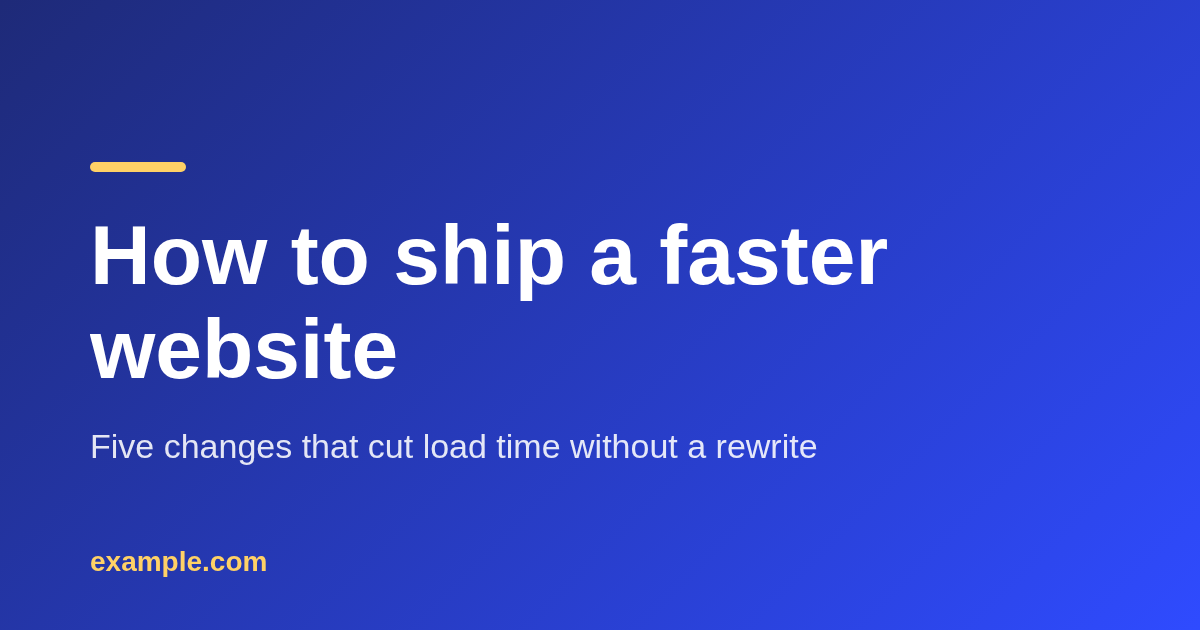
What an OG image (Open Graph image) is
An OG image is the picture that link previews show when your page is shared. Chat apps, social networks and other sites use it as a preview card. You set it with an og:image meta tag. This og image generator makes a 1200 x 630 PNG for that tag.
Size and design tips
Use 1200 x 630 pixels, a size commonly used for link preview images and social share images. Keep the title short. Use strong contrast between the text and the background. Leave some space around the edges, so the text is not too close to the border.
Adding the image to your page
Upload the PNG to a public address on your site, then point the og:image tag at that address. Check the link preview before you share it widely.
Long titles and other languages
The title shrinks as it gets longer, and it stops after four lines. The subtitle stops after three lines. Chinese, Japanese and Korean text renders, and so do emoji. Check the preview after you enter long text.
Dynamic OG image for every page (API)
A dynamic OG image is one that is made from the page's own data, such as its title, instead of one file shared by the whole site. To make one for every page, send the HTML for each page to the API with a 1200 x 630 viewport and output set to png:
curl -X POST https://api.aiipworld.com/v1/render \
  -H "Authorization: Bearer $AIIPWORLD_API_KEY" \
  -H "Content-Type: application/json" \
  -d '{"html":"<body style=\"margin:0;width:1200px;height:630px;background:#312e81;color:#fff;font:700 64px sans-serif;display:flex;align-items:center;padding:0 80px;box-sizing:border-box\">How we cut build times in half</body>","output":"png","options":{"viewport":{"width":1200,"height":630}}}'

# returns {"job_id": "...", "status": "queued"}; then poll:
curl https://api.aiipworld.com/v1/jobs/JOB_ID -H "Authorization: Bearer $AIIPWORLD_API_KEY"
The API is asynchronous: the first response is a job_id, and you poll the job until it succeeds or fails. Download the result from the link in the response and save it to your own storage. The link is short-lived and results are deleted after a set time, so do not point og:image at the API itself. Generate the image when you publish the page, or the first time it is needed, and serve your saved copy.
Webhooks are not available yet, and there is no batch endpoint, so send one request per image. A simple render costs 1 credit. The screenshot API page lists every option.
Making the image with this tool
This open graph image generator takes a title, a subtitle and your site name, then draws them on a gradient in a 1200 x 630 PNG. Pick the background gradient colours, the text colour, an accent colour and the alignment. Check the preview before you press Create image.
The tool does not host the file for you. Download the PNG, upload it to a public address on your site, and then add the address to your page. Keep the title short so the text stays readable.
Social share and twitter card images
If you searched for a social share image generator, this tool makes one picture for one page: a 1200 x 630 PNG that you reference from the page's meta tags.
If you are looking for a twitter card generator, know that a Twitter card is the name for the preview card a link can show on that network. The PNG is the same kind of picture, and you can reference it from your page's meta tags. Put its public address in the og:image tag, and in a twitter:image tag if your page uses one.
Open Graph examples and what they have in common
Open graph examples usually share a few traits: a short title that stays readable when the preview is small, a quiet subtitle, and strong contrast between the text and the background. The generator has fields for the same things: a title, a subtitle and colours.
People also search for opengraph images as one word. The file is the same 1200 x 630 px PNG. If you want a twitter card image generator, the PNG from this tool works there too: reference it in a twitter:image tag if your page uses one.
Questions
What size is the image?
1200 x 630 pixels, a size commonly used for link preview images. Check the requirements of the platforms you care about.
How do I use it on my website?
Upload the PNG somewhere public on your site and add a meta tag to the page head, for example <meta property="og:image" content="https://aiipworld.com/og.png">. Absolute URLs are expected.
Does it work with non-English text and emoji?
The rendering server has Noto fonts, including Chinese, Japanese and Korean, and colour emoji, so those render. We tested Chinese, Japanese, accented Latin letters and an emoji.
What happens with a very long title?
The title gets smaller as it gets longer, and it is cut off after four lines. The subtitle is cut off after three lines. A short title stays larger and easier to read.
Can I add a logo or background image?
Not in this tool. With the API you can send your own HTML, including images, and get the same kind of PNG.
Can I make one for every page of my site?
Yes, with the API: generate the HTML for each page in your code and request a PNG at 1200 x 630. The code section shows the request.
How long is the image kept?
Web-tool results are deleted after 10 minutes. Download it and host it yourself.
What is an Open Graph image?
It is an image that link previews can show when someone shares a page on your site. You set it with the og:image meta tag in the page head. The image from this tool is a 1200 x 630 PNG.
Do I need a Twitter-specific image?
Not always. You can add a twitter:image tag for Twitter cards, and many sites point it at the same file as og:image. Check the documentation of each platform for the tags it reads.
Why is the old image still showing after I changed it?
Platforms keep their own copy of a preview for some time, so the old image can stay after you upload a new one. Check the platform's documentation for a way to refresh the preview.
Is the open graph image generator free to use?
Yes. The web tool is free and needs no account. Anonymous use needs a short human check, and a signed-in account skips it. Results are deleted after 10 minutes, so download the PNG in time.
Can I use the PNG on several pages?
Yes. The file is an ordinary PNG, so you can point the meta tags of several pages at it. You can also make a separate picture for each page with its own title, using the same tool.
How do I make a dynamic OG image for each page?
Build a small HTML template, fill in the title of each page, and send it to POST /v1/render with a 1200 x 630 viewport and output set to png. Poll the job, download the PNG and save it with your page. Point the page's og:image tag at your saved file, not at the API, because the download link is short-lived.
Need this in your app or in bulk?
This tool runs on the render API, so the same image is one HTTP request from your code. A free account includes 100 credits a month.
Related tools
- HTML to PNG converterHTMLPNG
- Website screenshot toolURLPNG
- Full page screenshotURLPNG
- Text to PNG GeneratorTextPNG
- Screenshot APIAPI
- Code to imageCodePNG
- Website mockup generatorURLPNG
- App Store Screenshot GeneratorImagePNG
- HTML to JPG converterHTMLJPG
- Gradient Background GeneratorFormPNG
- Placeholder Image GeneratorFormPNG
- YouTube Thumbnail MakerImageJPG