
Text to PNG
Use this text to PNG tool to turn typed text into a PNG image. Pick a font, text size, colour and image size, then download the result. The background is transparent unless you choose a colour.
- This is a text renderer, not an AI image generator. It draws the words you type. It does not create pictures from a description.
- Text that does not fit is cut off at the edge of the image. Make the image wider or taller, or use a smaller text size.
- Output is PNG only. The three fonts are the ones on our render server. To use another font, send HTML to the API and load the font with @font-face from a public URL or a data URL.
695 B of 256 KB allowed in the free web tool.
Text that does not fit is cut off at the edge of the image: raise the height or lower the text size.
Preview
Drawn with your browser's fonts, so spacing can differ slightly from the server's result.
Complete the human check to enable the button.
Result
Your image will appear here.
The free web tool captures at most 2000px of height. For taller captures, use the API.
Retention: web-tool results are deleted after 10 minutes and no history is kept. API results are kept 1 day on the free plan and 7 days on Starter and Pro (30 days on Business).
No account needed
10 per minute and 50 per day for free.
Real browser rendering
Headless Chromium, the same engine as the API.
Deleted automatically
Web tool results are removed after 10 minutes.
Privacy: what you submit is used only to make this file. The working copy is deleted when the job ends, the result after 10 minutes. See the privacy policy.
Do this from your code
The same request, built from the input and options above. Create an account to get an API key.
curl -X POST https://api.aiipworld.com/v1/render \
  -H "Authorization: Bearer $AIIPWORLD_API_KEY" \
  -H "Content-Type: application/json" \
  -d '{"html":"","output":"pdf","options":{}}'

# returns {"job_id": "...", "status": "queued"}; then poll:
curl https://api.aiipworld.com/v1/jobs/JOB_ID -H "Authorization: Bearer $AIIPWORLD_API_KEY"
Batches
The web tool handles 1 document at a time. The API takes one request per document, so you can script as many as your plan allows.
More control
Whole-page capture (full_page), clipping to a region, request headers and a custom user agent are API options. See the docs.
Retention
Web-tool results are kept 10 minutes; free API results 1 day; Starter and Pro results 7 days; Business 30 days. The web tool allows 10 conversions per minute and 50 per day per visitor.
In one sentence
A free online tool that draws typed text onto a PNG image of a size you choose, with a transparent or coloured background.
Key facts
- Options: sans-serif, serif or monospace font, size, bold, italic, colour, alignment, padding and presets (1080 x 1080, 1080 x 1350, 1200 x 630, 1920 x 1080).
- Output: PNG, 100 to 4000 px wide and up to 2000 px tall in the free tool, at 1x, 2x or 3x.
- A text renderer, not an AI image generator; text that does not fit is cut off at the edge.
- Free without an account: up to 10 conversions per minute and 50 per day per visitor, no watermark. Signed in, each render costs 1 credit (100 free credits every month).
- Files are deleted automatically: 10 minutes after conversion without an account, 1 day with a free account.
- Developers can run the same render with POST https://api.aiipworld.com/v1/render and an API key (see the screenshot API page).
How it works
- Type or paste your text into the text box.
- Choose a font (sans-serif, serif or monospace), a text size in px, bold or italic, and a text colour.
- Set the alignment and padding. Then pick an image size: a preset, or your own width and height.
- Choose a pixel density of 1x, 2x or 3x, and a transparent or coloured background.
- Convert and download the PNG.
Example output
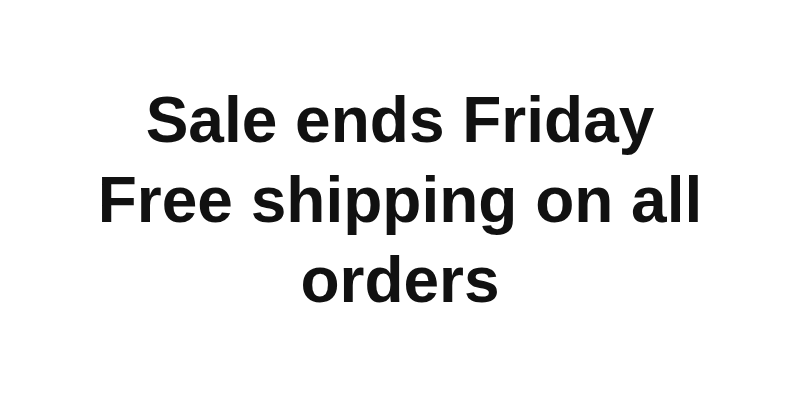
How to turn text into a PNG
You can turn text into a PNG without installing software or creating an account. Anonymous use needs a human check. Signed-in users skip the check and use credits.
The tool places your text in the middle of a fixed-size image. The text is centred vertically, so you can set the size, colour and alignment and keep the image size you chose.
Transparent background
The background is transparent by default. The area around the words stays see-through, so the PNG can sit over a photo or another image.
To get a coloured background, choose a colour in the background setting. Use transparent when the image will go on top of something else, and a colour when it will be shown on its own.
Fonts, size and colour
The tool offers three font families, one per option in the font menu. Each family maps to a font on our render server.
Text size is set in pixels. You can turn on bold or italic, and pick a text colour for the words. Emoji are drawn in colour. Text in other scripts, such as Chinese, Japanese or Arabic, draws when a font on the render server covers it.
- Sans-serif: Liberation Sans
- Serif: Liberation Serif
- Monospace: Liberation Mono, which covers Latin, Greek and Cyrillic letters
Image size and presets
The tool has four presets. Pick the one that matches where the image will go. Their sizes are listed below.
For any other size, enter your own width and height in pixels. The height is capped at 2000 px in the free tool, so stay within the limits shown in the tool.
Pixel density sets how many pixels the image has. At 2x or 3x the same layout has more pixels, so the text looks sharper on high-density screens.
- Square: 1080 x 1080 px
- Portrait: 1080 x 1350 px
- Link preview: 1200 x 630 px
- Wide: 1920 x 1080 px
When text does not fit
The text is centred vertically in a fixed-size image. If the text is larger than the image, the parts that go past the edge are cut off.
To fix this, make the image wider or taller, lower the text size, or reduce the padding. Then convert again and check the PNG.
What people use it for
People use text to PNG for social images, link previews, simple labels, and text placed over photos. A transparent PNG works well when the words must sit on top of another image.
Because the output is a normal PNG file, you can place it in a document, a slide or a web page like any other image.
Text to PNG from code
You can make the same kind of image from your own code through the API. Build an HTML page that shows your text, then send a screenshot request with the HTML as the input and the output set to png.
For a transparent background, set omit_background to true and leave the page background unpainted. Set the viewport width and height to the image size you need, and the pixel density if you want 2x or 3x.
Send the request to POST /v1/render with your API key as a Bearer token in the Authorization header. You get back a job ID. Poll GET /v1/jobs/:id until the status is succeeded, then download the file from download_url. The download link is short-lived, so save the file once it is ready.
Credits for failed and timed-out jobs are returned. There is no batch endpoint, so send one request per image. Webhooks are not available yet.
Text to PNG with a transparent background
If you need a text to png transparent image for a logo, a caption or a label, you can make one here without editing software. The background is see-through by default, so the image can sit over a photo or another layout.
Before you use the PNG, place it over a dark and a light background. That shows you how the edges of the letters look, and you can then adjust the colour or size and convert again.
Questions
How do I make a transparent PNG from text?
Leave the background on transparent, which is the default. Choose your font, text size and colour, then convert. The PNG keeps the area around the text see-through.
Which fonts can I use?
The tool offers sans-serif (Liberation Sans), serif (Liberation Serif) and monospace (Liberation Mono). Emoji and many other scripts also draw when a font on the render server covers them.
Can I use my own font?
Not in this tool. Fonts from your own computer are not on the server. With the API, you can send HTML and load a font with @font-face from a public URL or a data URL.
Why is my text cut off?
The text is larger than the image, so the edge cuts it off. Make the width or height bigger, use a smaller text size, or reduce the padding.
What size should the image be?
Pick a preset that fits where the image will go: Square 1080 x 1080, Portrait 1080 x 1350, Link preview 1200 x 630 or Wide 1920 x 1080. For another size, enter your own width and height in pixels, within the limits shown in the tool.
Do emoji work?
Yes. Emoji are drawn with Noto Color Emoji, so they appear in colour in the PNG.
Is this an AI image generator?
No. It draws the text you type. It does not create pictures or artwork from a prompt.
Can I get a JPG?
No. The text to PNG tool outputs PNG only. If you need a JPG, the html-to-image tool can output JPG.
How long is the image kept?
A result from the free tool is deleted after 10 minutes, and no history is kept. Through the API, results are kept for 1 day on the free plan, 7 days on Starter and Pro, and 30 days on Business.
Do I need an account?
No. The free tool works without an account, but you complete a human check first. Signed-in users skip the check and use credits.
Is there a watermark?
No. We add no watermark to the PNG.
Can I make the text bold or italic?
Yes. The tool has bold and italic options. You can combine them with the font, size and colour you choose.
How large can the image be?
In the free tool the width can be 100 to 4000 px and the height 100 to 2000 px. Pick a preset such as Square, Portrait, Link preview or Wide, or enter your own width and height.
Can I change the text after I convert?
Results are not edited after they are made. Change the text, font or size in the tool, then convert again to get a new PNG.
Need this in your app or in bulk?
This tool runs on the render API, so the same image is one HTTP request from your code. A free account includes 100 credits a month.