Create an invoice PDF
Fill in who the invoice is from and to, add line items and a tax rate, and download a clean A4 invoice as a PDF. The totals are worked out in your browser; the PDF is rendered by headless Chromium.
Use this for real invoices only. Creating invoices, receipts or other documents to misrepresent a transaction, income or identity is not allowed. See the Acceptable Use Policy.
Total: $1,351.00
Preview
Result
Your PDF will appear here.
The free web tool prints at most the first 10 pages. For longer documents, use the API.
Retention: web-tool results are deleted after 10 minutes and no history is kept. API results are kept 1 day on the free plan and 7 days on Starter and Pro (30 days on Business).
Do this from your code
The same request, built from the input and options above. Create an account to get an API key.
curl -X POST https://api.aiipworld.com/v1/render \
  -H "Authorization: Bearer $AIIPWORLD_API_KEY" \
  -H "Content-Type: application/json" \
  -d '{"html":"","output":"pdf","options":{}}'

# returns {"job_id": "...", "status": "queued"}; then poll:
curl https://api.aiipworld.com/v1/jobs/JOB_ID -H "Authorization: Bearer $AIIPWORLD_API_KEY"Batches
The web tool handles 1 document at a time. The API takes one request per document, so you can script as many as your plan allows.
More control
Headers and footers, page ranges, scale, custom page size, wait conditions and request headers are API options. See the docs.
Retention
Web-tool results are kept 10 minutes; free API results 1 day; Starter and Pro results 7 days; Business 30 days. The web tool allows 10 conversions per minute and 50 per day per visitor.
How it works
- Enter the invoice number and dates, then the sender and recipient.
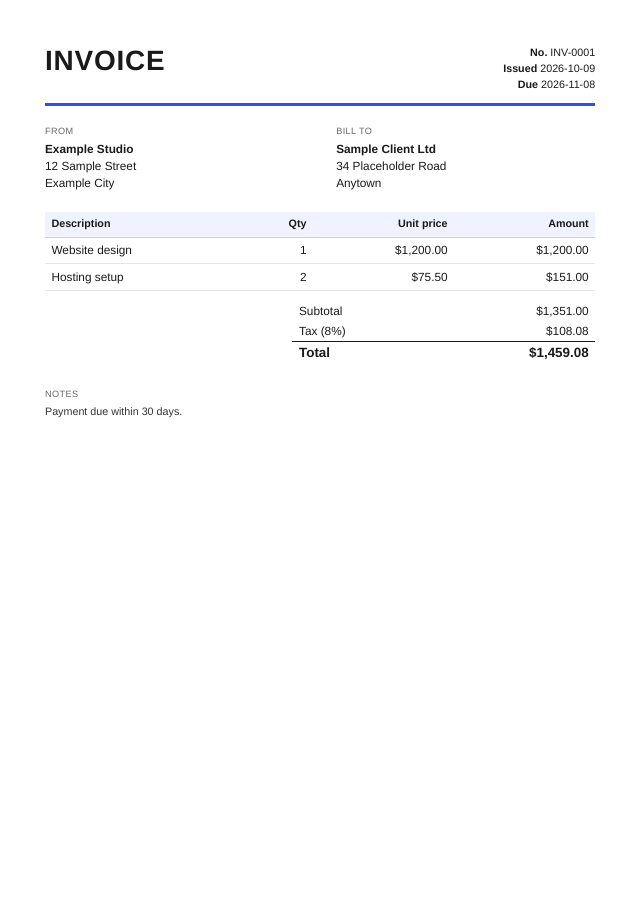
- Add one line per item with quantity and unit price. Totals update as you type.
- Set the currency and a single tax rate if one applies.
- Press Create invoice PDF and download the file.
Example output
Questions
What is sent to your servers?
The form is turned into an HTML invoice in your browser, and that HTML is sent to our API to be printed as a PDF. The result is deleted after 10 minutes and no history is kept.
How is tax calculated?
One tax rate is applied to the subtotal, rounded to the cent. There are no discounts, multiple tax rates or reverse-charge notes. The tool does not give tax or legal advice, and invoice requirements differ by country, so check what applies to you.
Can I add a logo?
Not in this tool. If you generate invoices from your own system, you can put your logo in the HTML you send to the API and render it with the same engine.
Which currencies are available?
USD, EUR, GBP, CAD, AUD, JPY, CHF and INR. Amounts are formatted with US English number conventions for the currency you pick.
What if I have many line items?
Long item lists continue on the next page and the column headings repeat. The free tool prints at most the first 10 pages.
Can I use it to make receipts, pay stubs or documents for someone else's business?
No. The tool is for real invoices for real work. Documents that misrepresent a transaction, income or identity are against the Acceptable Use Policy.
Can I make invoices automatically?
Yes, with the API. Build the invoice HTML in your own code and send it with a render request. The code section shows the request.