
YouTube Thumbnail Maker
This free YouTube thumbnail maker gives you a 1280 x 720 canvas, the 16:9 shape YouTube asks for. Start from one of 8 templates or a blank canvas, add your title and photos, and download a JPG or PNG. The editor runs in your browser, so your pictures are not uploaded, and there is no account and no daily limit.
- Your design is not saved. Reloading or closing the page clears it, so download first.
- Empty photo frames are left out of the download.
- Everything runs in your browser. Your pictures stay on your device.
Loading the editor...
Click an item on the canvas to select it, drag to move, use the corner handles to resize and the top handle to rotate. Double-click a text to type on the canvas. Empty photo frames are left out of the download.
1280 x 720 pixels, 16:9. JPEG is kept under 2 MB. The picture is made in your browser; nothing is uploaded.
Examples for inspiration
We made these 8 examples in our own tests on 18 October 2026. Their pictures (backgrounds, objects, and the before and after rooms) were made with an AI image model (Google Gemini). We added the titles, tags and cut-outs with our own render engine, and each picture carries a small label that says what is AI. The astronaut in the space example is a NASA public-domain photo of Eileen Collins, not an AI picture, and is shown as a layout example only. The editor above does not make AI pictures: each template opens with a plain gradient and empty frames for your own photos. "Open this template" loads the matching layout.
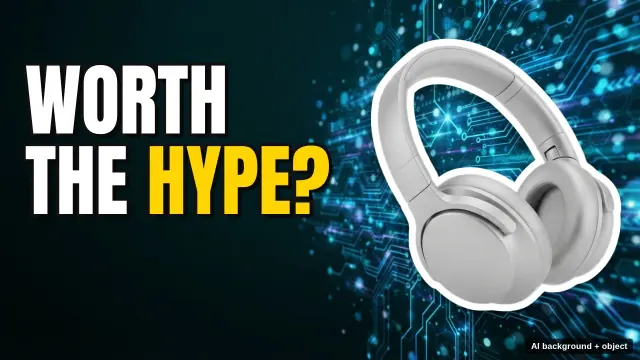
Tech review
AI background and AI headphones, cut out and composed with our title.
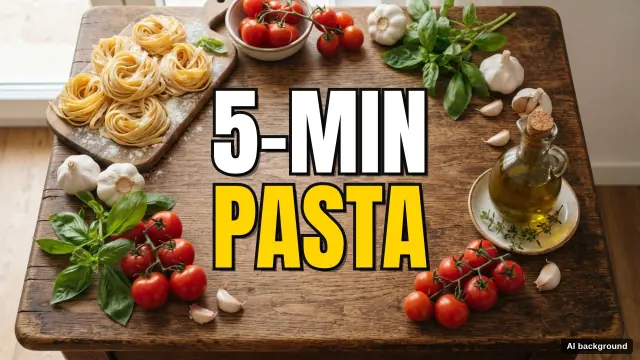
Cooking
AI background, composed with our title.
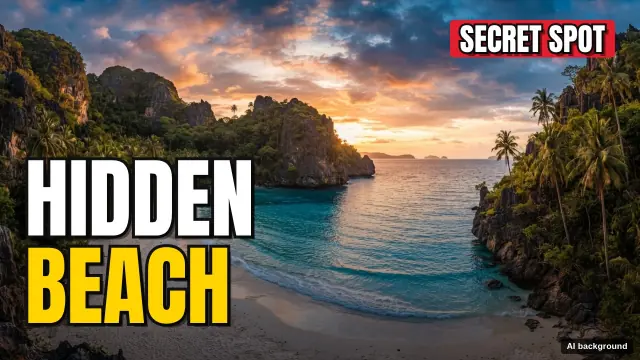
Travel
AI background, composed with our title and tag.
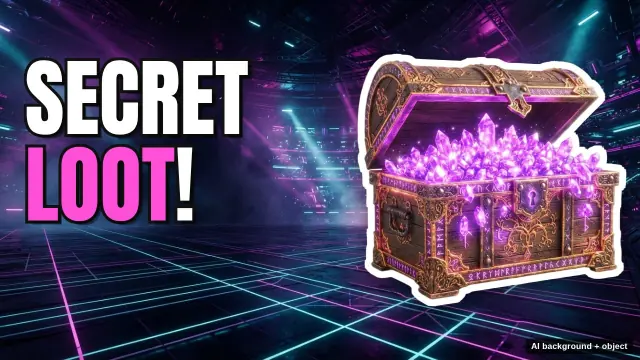
Gaming
AI background and AI treasure chest, cut out and composed with our title.
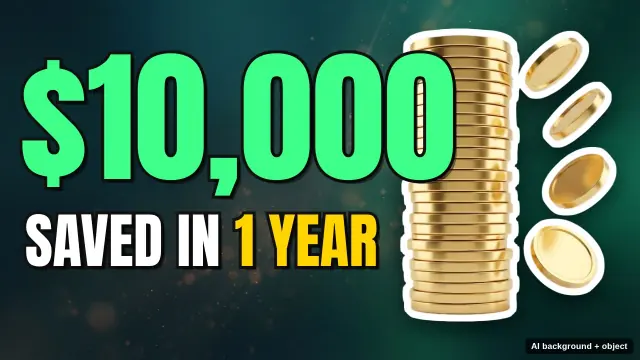
Money and finance
AI background and AI coins, cut out and composed with our title.
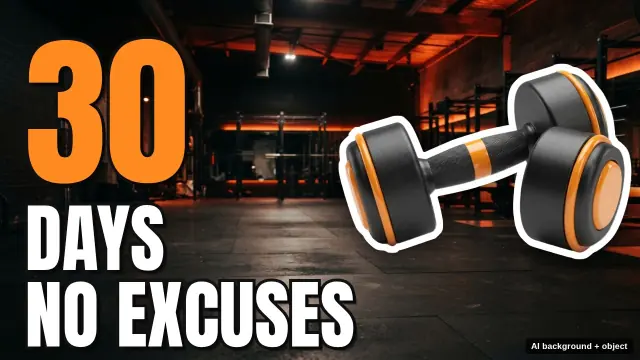
Fitness challenge
AI background and AI dumbbell, cut out and composed with our title.
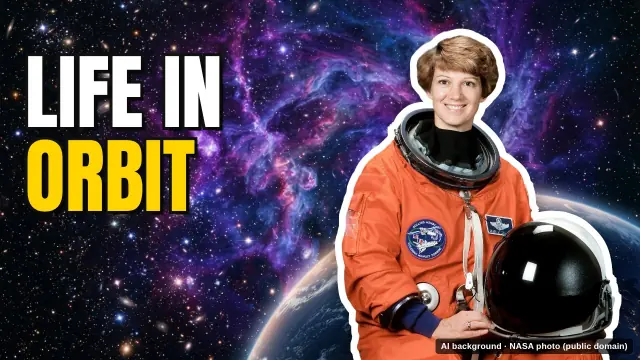
Science and space
AI background; the astronaut is a NASA public-domain photo (Eileen Collins), cut out by our background remover.
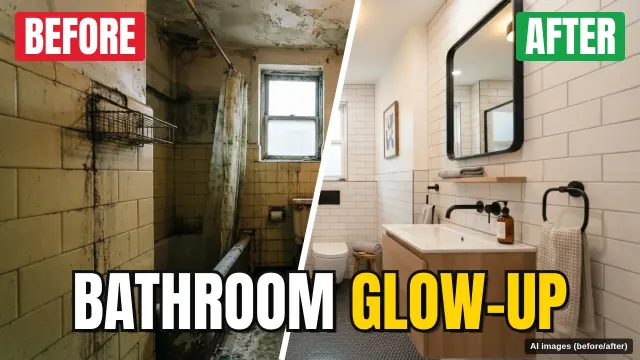
DIY before and after
AI before and after pictures, composed with our split layout, tags and title.
Coming later, as paid features: AI backgrounds, background removal for your own photos, HD and transparent downloads, and a brand kit. They are not available yet, and nothing on this page asks you to pay. The editor above stays free.
In one sentence
A free online YouTube thumbnail maker that edits a 1280 x 720 canvas in your browser, with 8 templates, outlined title text, your own photos, layers and a JPG or PNG download.
Key facts
- Canvas and output: 1280 x 720 pixels (16:9), saved as JPG or PNG; a JPG is kept at 2 MB or less by lowering the quality step by step from 92.
- Templates: Tech review, Cooking, Travel, Gaming, Money and finance, Fitness challenge, Science and space, DIY before and after, plus a blank canvas; each opens with a plain gradient and empty photo frames.
- Text: Anton, Bebas Neue, Bangers or Montserrat Extra Bold, 24 to 320 pixels, with an outline up to 40 pixels, a hard or glow shadow and an optional box behind the words.
- Pictures: JPG, PNG, WebP, GIF, AVIF or BMP up to 30 MB, read from your device and not uploaded; the design is not saved after you leave the page.
- It does not make AI pictures, remove backgrounds or export HD or transparent files; these are planned as paid features and are not available yet.
- Free, with no account, no human check and no daily limit, because the thumbnail is made on your device.
Sources
Last reviewed:
How it works
- Pick a template, or press Blank to start with an empty canvas.
- Click a title to select it, then change the words in the Text box. You can also double-click the text on the canvas and type there.
- Press Upload image to add a photo. It goes into the selected photo frame, or into the first empty frame.
- Set the font, size, colours, outline and shadow until the words are easy to read at a small size.
- Press Download thumbnail to save a 1280 x 720 JPG or PNG before you leave the page.
How to use the YouTube thumbnail maker
Pick a template, or press Blank. The canvas is 1280 x 720 pixels, which is 16:9. Edit a title in the Text box on the side, or double-click it on the canvas and type there. Press Enter for a new line.
Click an item to select it, drag it to move it, and use the corner handles to resize it. The handle at the top rotates it. When the thumbnail looks right, press Download thumbnail.
Unlike an AI youtube thumbnail generator, this editor does not invent pictures. You decide every word, colour and photo, and the result is ready as soon as you download it.
Start from a YouTube thumbnail template
There are 8 templates and a Blank canvas: Tech review, Cooking, Travel, Gaming, Money and finance, Fitness challenge, Science and space, and DIY before and after. Each youtube thumbnail template opens with a plain colour gradient, a large title with an outline and a shadow, and empty photo frames marked with a dashed line.
Cooking and Travel have a full-size background frame. DIY before and after has two frames split by a slanted white line, with BEFORE and AFTER tags.
Choosing another template replaces the current design. Press Undo to bring the old one back.
Text styles that read on a small screen
A thumbnail is often seen at a small size, so short, large titles work well. The fonts are Anton, Bebas Neue, Bangers and Montserrat Extra Bold, all heavy display fonts. Text size runs from 24 to 320 pixels.
An outline keeps light text readable on a busy picture. Pick the outline colour and a width from 0 to 40 pixels. Shadow can be None, Hard (a solid offset shadow) or Glow (a soft dark glow).
- Accent colour: the coloured word in a template title, such as HYPE? in Tech review.
- Box behind text: a coloured box for tags such as SECRET SPOT.
- Alignment: left, center or right.
Add your photos and a YouTube thumbnail background
Press Upload image to add a JPG, PNG, WebP, GIF, AVIF or BMP file up to 30 MB. SVG files are not accepted. A picture with a long side over 2,560 pixels is scaled down to 2,560 pixels in your browser first.
The picture goes into the selected photo frame. If no frame is selected, it goes into the first empty frame, and if there is no frame, into the middle of the canvas. A background frame fills the whole canvas and crops what sticks out, while a product or person frame fits the whole picture inside.
For a youtube thumbnail background, select a picture and press Use as background. It fills the canvas behind everything else. Flip mirrors a picture. A PNG or WebP with a transparent background keeps its transparency on the canvas.
Layers, alignment and undo
The Layers list shows the top item first, and the background is locked. Use To front, Forward, Backward and To back to change the order, and Duplicate or Delete for the selected item. The Delete or Backspace key also deletes it.
The Position buttons put the selected item at the left, center or right edge, or at the top, middle or bottom of the canvas. Box, Circle and Arrow add simple shapes with their own fill and outline.
Undo and Redo go back and forward up to 30 steps. Press Ctrl+Z or Cmd+Z to undo, and add Shift to redo.
Download size and YouTube's rules
Download thumbnail saves thumbnail-1280x720.jpg or thumbnail-1280x720.png, always at 1280 x 720 pixels. JPEG starts at quality 92. If the file would be over 2 MB, the editor lowers the quality step by step (86, 80, 72, 64, 55) until it is 2 MB or less. The status line shows the size and the quality.
PNG is not reduced. If a PNG is over 2 MB, the status line says so and suggests JPEG.
YouTube's help page "Add video thumbnails" (read 2026-10-20) asks for 3840 x 2160 pixels with a minimum width of 640 pixels, a 16:9 aspect ratio and an image format such as JPG or PNG. The file limit is 2 MB from a phone and 50 MB on a computer. A 1280 x 720 picture is 16:9 and above the minimum width. You can add a custom thumbnail only if your YouTube account is verified. Rules can change, so check YouTube's page.
Privacy: the editor runs in your browser
The editor runs in your browser on your device. Pictures you add are read from your device and are not uploaded to any server.
Your design is not saved anywhere. If you reload or close the page, the design is gone, so download the picture before you leave.
You need no account and there is no daily limit. We do not add a watermark.
What this thumbnail maker does not do yet
AI backgrounds, background removal for your own photos, HD and transparent downloads, and a brand kit are planned as paid features. They are not available now. The editor on this page stays free.
The editor does not make AI pictures. The 8 examples on this page were made in our tests with AI pictures and our own render engine, and each one is labelled. Open this template under an example loads the matching layout with a plain gradient.
To resize a picture you already have, use the YouTube Thumbnail Resizer. To remove the background from a photo, use Delete Background from Image. Both of those tools send the picture to our server.
Questions
Is this YouTube thumbnail maker free?
Yes. It is free, with no account, no sign-up and no daily limit, and we do not add a watermark.
What size is the thumbnail?
Every download is 1280 x 720 pixels, which is 16:9. YouTube's help page recommends 3840 x 2160, with a minimum width of 640 pixels.
Does it upload my pictures?
No. The editor runs in your browser. Pictures you add are read from your device and are not sent to any server.
Can I use my own photo as the background?
Yes. Upload a JPG, PNG, WebP, GIF, AVIF or BMP file up to 30 MB, select it and press Use as background. It fills the whole canvas.
What fonts can I use?
Anton, Bebas Neue, Bangers and Montserrat Extra Bold. They are free fonts under the SIL Open Font License, loaded from aiipworld.com.
Will my thumbnail fit YouTube's 2 MB limit?
A JPEG download is kept at 2 MB or less by lowering the quality step by step from 92. PNG is not reduced, and the status line warns if it is over 2 MB. YouTube's 2 MB limit is for uploads from a phone; on a computer it is 50 MB.
Can I make AI thumbnails here?
No. The editor does not make AI pictures. AI backgrounds are planned as a paid feature and are not available now.
Are the example thumbnails made with AI?
Their pictures were, except the astronaut. We made the 8 examples in our tests on 18 October 2026 with an AI image model (Google Gemini) and added the titles with our own render engine. The astronaut is a NASA public-domain photo, and each example is labelled.
Can I save my design and come back later?
No. The design is not saved anywhere. Download the thumbnail before you reload or close the page.
Can I remove a background in this editor?
Not yet. A PNG or WebP that already has a transparent background keeps it. Our Delete Background from Image tool removes backgrounds, but it sends the picture to our server.
Need images or PDFs from your own code?
This generator runs in your browser and does not use the API. To turn text or HTML into an image or a PDF from your own code, the render API does that. A free account includes 100 credits a month.