
HEIC to JPG: Convert Your iPhone Photo for Free
HEIC to JPG conversion takes one HEIC photo, the format many iPhones save, and writes it as a JPEG file that almost every program and website accepts. Upload the photo, keep JPEG selected and download the result with the .jpg extension. The free web tool needs no account, the photo is turned upright if it was stored rotated, and it keeps its pixel size.
- The tool reads HEIC and HEIF photos as input only. It cannot save HEIC files.
- Free web tool: up to 5 MB per image and 30 images per day per visitor.
- Every JPG is lossy, so keep your original HEIC file.
Drop an image here
HEIC, HEIF, JPG, PNG, WebP, AVIF, GIF, BMP or TIFF, up to 5 MB
Lower means a smaller file and more visible loss (1 to 100).
JPEG cannot store transparency. Transparent areas are filled with the background colour below.
Complete the human check to enable the button.
Result
Your JPEG will appear here.
The free web tool takes images up to 5 MB, 30 per day. Signed in, the limit is 10 MB. The image keeps its pixel size unless you choose Make smaller.
Retention: web-tool results are deleted after 10 minutes. API results are kept 1 day on the free plan and 7 days on Starter and Pro (30 days on Business and Scale). A record of each job (type, time, status and credits, not what you submitted) is kept for 30 days without an account, or while your account exists if you are signed in.
No account needed
30 images per day for free, no watermark.
Original size by default
The image is re-encoded at its full pixel size unless you choose Make smaller. Camera and location tags are not copied into the result.
Deleted automatically
Web tool results are removed after 10 minutes.
Privacy: what you submit is used only to make this file. It is deleted when the job ends, also from the job record, and the result is deleted after 10 minutes. See the privacy policy.
Do this from your code
The same conversion as an API request: send the image bytes, then poll the job. It needs an API key; a free account can create one.
curl -X POST "https://api.aiipworld.com/v1/image-jobs?op=image_convert&format=jpeg" \
  -H "Authorization: Bearer $AIIPWORLD_API_KEY" \
  -H "Content-Type: image/png" \
  --data-binary @input.png

# returns {"job_id": "...", "status": "queued", "credits_reserved": 1}; then poll:
curl https://api.aiipworld.com/v1/jobs/JOB_ID -H "Authorization: Bearer $AIIPWORLD_API_KEY"
Batches
The web tool handles 1 image at a time. The API takes one request per image, so you can script as many as your plan allows.
Retention
Web-tool results are kept 10 minutes; free API results 1 day; Starter and Pro results 7 days; Business and Scale 30 days. The web tool allows 10 conversions per minute and 50 per day per visitor.
In one sentence
A free online tool that converts a HEIC or HEIF photo, such as an iPhone photo, to JPG (or PNG or WebP) with a quality setting and a background colour for transparent areas.
Key facts
- Input: HEIC or HEIF photos (the main picture; the type is read from the file content), and also PNG, JPG, WebP, AVIF, GIF, BMP or TIFF, up to 5 MB in the free tool and 10 MB when signed in, and up to 16 MP (4096 x 4096); SVG, PDF and camera RAW files are not accepted.
- Output: a JPG (JPEG) with the same width and height; quality 1 to 100 (default 80); JPEG has no transparency, so transparent areas are filled with a background colour (white by default). The tool reads HEIC but cannot save it.
- In our test a 1280 x 854 px example photograph saved as a 701 KB HEIC became a 297 KB JPG at quality 80, a 262 KB WebP and a 2.3 MB PNG; the photograph comes from the libheif project's example files.
- A rotation stored in the HEIC file is applied, so the JPG comes out upright; only the main picture of a file with several pictures is converted; the HEIC is decoded by libheif with libde265 as a separate program on our server; the upload is deleted when the job ends and the result after 10 minutes; signed-in users pay 1 credit per image plus 1 more credit for each started 5 MB of result beyond the first 5 MB.
- Free without an account: up to 10 conversions per minute and 50 per day per visitor, no watermark. Signed in, each render costs 1 credit (100 free credits every month).
- Files are deleted automatically: 10 minutes after conversion without an account, 1 day with a free account.
- Developers can run the same job with POST https://api.aiipworld.com/v1/image-jobs?op=image_convert (the image as the request body, settings in the query string) and an API key (see the API docs page).
Sources
Last reviewed:
How it works
- Choose your HEIC photo in the tool above. HEIF files with the .heif extension work the same way.
- Wait for the file line. Your browser checks the file type, the file size and the pixel count before upload and shows the image size. Browsers cannot draw HEIC, so there is no preview.
- Keep JPEG selected under 'Convert to', or pick PNG or WebP. The quality setting starts at 80.
- Click Convert to JPG and wait for the result panel.
- Check the preview of the finished JPG, then press Download. The file ends in .jpg.
Example output
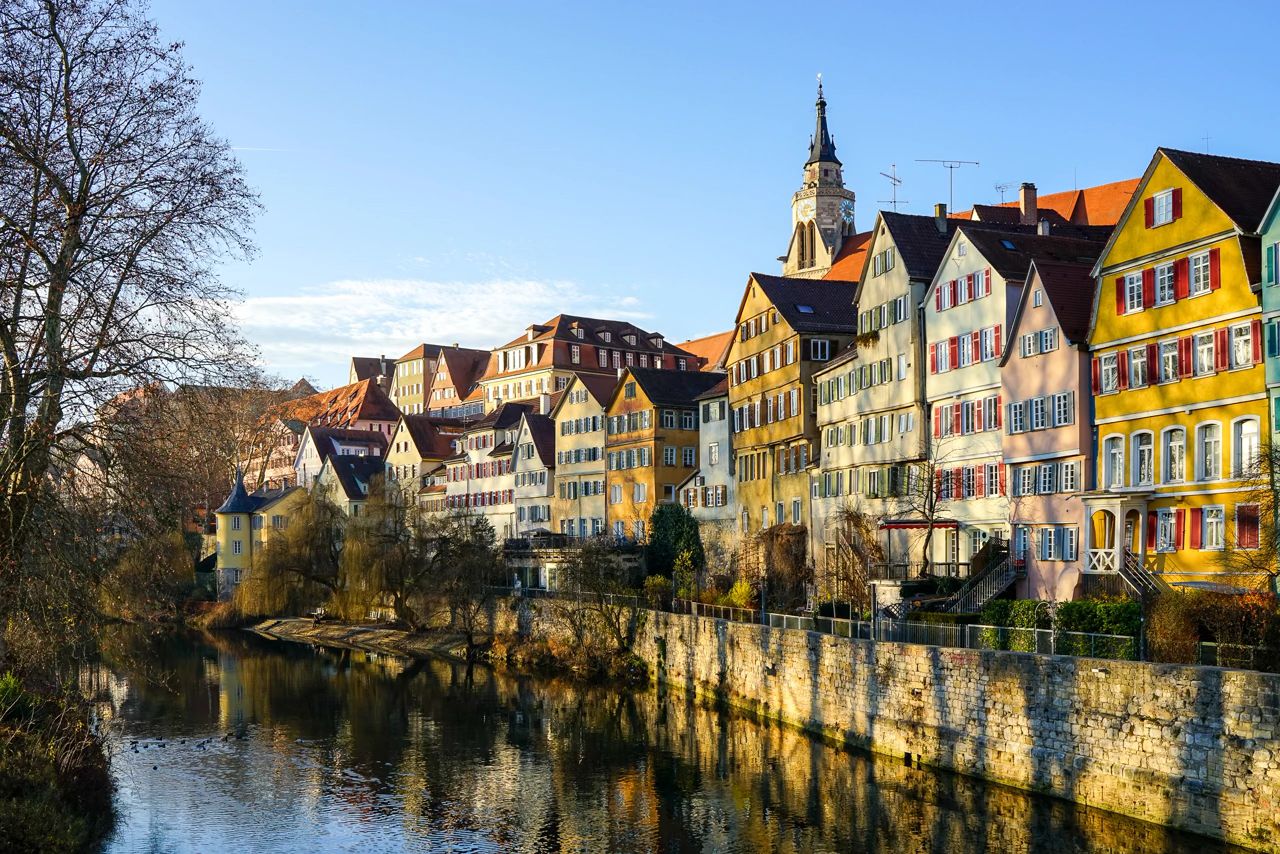
How to convert HEIC to JPG
Start by choosing your HEIC photo in the tool above. Before upload, your browser checks the file type, the file size and the pixel count, and it shows the width and height. It cannot show a preview, because most browsers cannot draw HEIC.
JPEG is already selected under 'Convert to', so a standard JPG needs no change. When the job finishes, the result panel shows a preview of the JPG, the file size, the formats, the pixel size and how long the file is kept. If you search for heic to jpeg, this is the same conversion, because JPEG and JPG are the same format. Press Download to save the file, which ends in .jpg.
What HEIC to JPG conversion does
This heic to jpg converter decodes the main picture of your HEIC file and encodes it again as a JPEG. The HEIC decoding is done by libheif together with libde265, two open-source libraries, started as a separate program on our server. The JPEG is written by sharp, which uses the libvips library. This is ordinary image processing, not artificial intelligence.
By default the pixel size stays the same. If your photo is 4032 by 3024 pixels, the JPG is also 4032 by 3024 pixels. Nothing is cropped. The conversion runs on our server, so the photo is sent to us and is not processed in your browser. The uploaded file is used only to make the converted file.
Why people convert HEIC to JPG
Many iPhones save photos as HEIC when the camera is set to High Efficiency. A lot of software, upload forms, older email programs and document editors still do not open HEIC files, and a JPG works almost everywhere. That is the most common reason people convert heic to jpg.
People also meet .heic files when they copy photos from a phone to a computer, when they receive photos by email or when a form refuses the file. Converting the photo to JPG lets you use it where HEIC is refused.
- Upload forms that reject .heic files
- Older email programs, document editors and image viewers
What HEIC is, in plain words
HEIC is a picture file that stores a photo compressed with HEVC, also called H.265, inside the HEIF container. The two names are often used for the same kind of file, and .heic and .heif files from phones are read by this tool in the same way.
A HEIC file can hold more than a single picture. It can also store small previews, a depth map, a burst of pictures or extra data. The converter reads the main picture only, and it ignores the rest. The next sections say what that means for your file.
HEIC to JPG: file size
A JPG made from a HEIC photo is usually larger than the HEIC, because HEIC compresses more efficiently. In our test, the 1280 by 854 pixel example photograph from the libheif project, a 701 KB HEIC, became a 297 KB JPG at quality 80, a 262 KB WebP at quality 80 and a 2.3 MB PNG. The picture is small, so the JPG here is smaller than the HEIC; with the larger photos a phone takes, expect the JPG to come out bigger.
PNG stores every decoded pixel without loss, which is why it is much larger. For JPG, the quality setting is the control you can change.
Choosing the JPG quality
Quality runs from 1 to 100, and the default is 80. The setting applies to JPEG and to lossy WebP. PNG is lossless, so it has no quality setting.
Every JPG is lossy and loses a little detail each time it is saved. Detail that the HEIC already lost does not come back. Keep the original HEIC file, and if you need another version later, convert again from the original rather than from a JPG you made earlier.
- Start with the default of 80 and compare the result panel preview.
Rotated photos, several pictures in one file and metadata
Phones usually store a portrait photo with a rotation setting instead of turning the pixels. The converter applies that rotation, so the JPG comes out upright. In our tests, HEIC files stored rotated by 90 and by 180 degrees came out the same way up as the unrotated one.
If a HEIC file holds several pictures, such as a burst, only the main picture is converted. The other pictures, the depth map and the small previews are ignored. A file with more than 8 pictures, or one that is a moving picture or an image sequence, is refused. Camera and location tags, such as EXIF and GPS data, are not copied into the converted file.
Photos that are too big
The limit is 16 MP (4096 x 4096) per picture. A 12 megapixel photo, 4032 by 3024 pixels, fits. A phone photo taken at full resolution with a 48 megapixel camera is larger than the limit and is refused from the file header, before it is decoded. Use the phone's own export setting or its Share option for a smaller version, then convert that.
The free web tool takes up to 5 MB per file. A very detailed 12 megapixel photo can also make a PNG larger than 20 MB, and then the job fails with an output too large message. Choose JPG for large photos.
Other ways to get a JPG from an iPhone photo
On an iPhone you can switch the camera to JPEG for new photos with Settings, Camera, Formats and Most Compatible. On a Mac, the Preview app can open a HEIC file and save a copy as JPEG from its Export command. These are good choices for a few photos you already have on the device.
If you are searching for how to convert heic to jpg on mac and want the answer in a browser, this page does it without installing anything. The tool converts one photo at a time. If you need to batch convert heic to jpg, for a folder of photos, the API in the last section handles one photo per request, so you send the requests from a short script.
Which files the converter accepts
On this page the tool accepts HEIC and HEIF photos, and also PNG, JPG, WebP, AVIF, GIF, BMP and TIFF. A .heic to jpg conversion works on files with the .heic or the .heif extension. It reads the file type from the content, not the file name, so a file renamed to .heic that is really something else is read as what it is or refused.
SVG, PDF and camera RAW files are not accepted. A moving HEIC, such as a sequence, is refused, and the video of an iPhone Live Photo is a separate file that is not converted. A corrupt HEIC returns an unsupported image message.
The free web tool takes up to 5 MB per image and 30 images per day per visitor. Signed-in users can convert up to 10 MB per image. A picture over the pixel limit (16 MP (4096 x 4096)) is refused from the file header before it is decoded. If the result would be larger than 20 MB, the job fails with an output too large message instead of returning a cut-off file.
When you are signed in, a conversion costs 1 credit per image, plus 1 more credit for each started 5 MB of result beyond the first 5 MB. Failed and timed-out jobs are refunded.
HEIC file converter: JPG, PNG or WebP output
This HEIC file converter reads a HEIC file and saves it as JPG, PNG or WebP. JPEG is selected by default, so a convert heic to jpg job needs no change to the settings.
Pick PNG or WebP under 'Convert to' if you need a different format. The tool cannot save HEIC files, so it converts out of HEIC but not into it. For PNG there is also a page of its own, the HEIC to PNG converter.
HEIC to JPG from code
If you convert many photos, you can call the API instead of the tool. Send the raw HEIC bytes as the body of a POST request to https://api.aiipworld.com/v1/image-jobs, with Content-Type set to image/heic (application/octet-stream also works, because the file type is read from the content). Add op=image_convert and format=jpeg to the query string.
Authenticate with your API key in an Authorization: Bearer header, or with x-api-key. The API returns 202 with a job_id. Poll GET /v1/jobs/:id until the status is succeeded, failed or timeout, then download the file from the short-lived download_url. Each request handles one image, and there is no batch endpoint and no webhooks yet.
HEIC works with op=image_convert only. The resize, compress and other image operations do not read HEIC, so convert the photo first. The page shows a ready cURL, Node and Python example below the tool, and the API docs list every parameter.
Privacy: what happens to your file
The uploaded photo is used only to make the converted file. It is deleted as soon as the job ends, whether it succeeds or fails.
The converted file is kept for 10 minutes in the free web tool, then deleted. Download links are short-lived. A record of each job is kept, and signed-in users can see their jobs in the dashboard.
Convert only pictures you have the right to use. The Acceptable Use Policy applies to uploads and results.
Questions
Can I use a heic to jpg converter for free?
Yes. The free web tool needs no account. Anonymous use needs a human check (Cloudflare Turnstile), and signed-in users skip it and use credits.
Is converting HEIC to JPG lossless?
No. JPEG is a lossy format, so each saved JPG loses a little detail, and detail already lost in the HEIC does not come back. Keep your original HEIC file.
Why is my JPG bigger than the HEIC?
HEIC compresses more efficiently than JPEG, so a JPG of the same photo is usually larger. A small picture can go the other way, as in our test where a 701 KB HEIC became a 297 KB JPG.
What quality should I use when I change HEIC to JPG?
Start with the default of 80. The range is 1 to 100, and the setting applies to JPEG and lossy WebP.
Will my photo come out upright?
Yes. The rotation stored in the HEIC file is applied, so a portrait photo comes out upright. The picture is not cropped.
What if my HEIC file holds several pictures?
Only the main picture is converted. Burst pictures, the depth map and the small previews are ignored.
Can I convert a Live Photo?
The still picture of a Live Photo is a HEIC file and can be converted. The short video that goes with a Live Photo is a separate file, and this tool does not convert it.
Why was my iPhone photo refused for being too big?
The limit is 16 MP (4096 x 4096) per picture. A 12 megapixel photo fits. A full-resolution photo from a 48 megapixel camera is over the limit and is refused from the file header.
Can I convert HEIC to PNG or WebP?
Yes. Under 'Convert to', pick PNG or WebP instead of JPEG. PNG is lossless and larger, and there is a page of its own for HEIC to PNG.
Does the tool make HEIC files?
No. HEIC works as an input format only, and the tool cannot save HEIC.
Can I convert many HEIC files at once?
The web tool converts one photo at a time. For many photos, call the API from a script, one request per photo.
Can I convert a HEIC to a PDF here?
Not in one step. Convert the HEIC to JPG with this page first, then use the JPG to PDF tool on the result.
How long is my file kept?
The converted file in the free web tool is deleted after 10 minutes. The uploaded photo is deleted as soon as the job ends.
Can I convert HEIC to JPG in code?
Yes. Send the raw HEIC bytes to the image jobs endpoint with op=image_convert and format=jpeg, then poll the job until it finishes. The page shows cURL, Node and Python examples below the tool.
Is there a free HEIF to JPG converter with no account?
Yes. HEIF files are read the same way as HEIC files, so this works as a heif to jpg converter, free of charge and without an account. JPEG is the default output, so the file you download ends in .jpg.
Need this in your app or in bulk?
This tool runs on the same platform as the API, so the same image is one HTTP request from your code. A free account includes 100 credits a month.